Quick Summary: Website development for schools requires balancing accessibility compliance, user-friendly content management, mobile responsiveness, and features that serve students, parents, and administrators. Modern school websites must meet Section 508 accessibility standards, support enrollment management, and provide intuitive tools for non-technical staff to publish content while maintaining security and FERPA compliance.
School websites aren’t just digital brochures anymore. They’re communication hubs, enrollment engines, and often the first impression families get of an institution.
But here’s the thing—building an effective school website means juggling accessibility regulations, content management challenges, security requirements, and the needs of multiple audiences. Parents want event calendars and lunch menus. Prospective families need admissions information. Staff require document repositories. And everyone expects mobile-friendly access.
The technology landscape has shifted dramatically.
Core Requirements for School Website Development
School websites operate under stricter requirements than most commercial sites. Federal accessibility standards apply to all educational institutions receiving federal funding.
Section 508 of the Rehabilitation Act mandates that electronic and information technology be accessible to people with disabilities. For school websites, this means text must be resizable up to 200% without loss of content or functionality, according to Section508.gov guidelines.
Real talk: accessibility isn’t optional. It’s a legal requirement and an ethical imperative.
Essential Compliance Considerations
Web Content Accessibility Guidelines (WCAG) set the technical standard. Schools need developers who understand keyboard navigation, screen reader compatibility, color contrast ratios, and alternative text for images.
But compliance extends beyond accessibility. FERPA governs student data privacy. COPPA restricts data collection from children under 13. State-level regulations may add additional layers.
The Department of Education established requirements for accessible electronic and information technology to support obligations under Sections 504 and 508 of the Rehabilitation Act. These aren’t suggestions—they’re enforceable standards with real consequences for non-compliance.
Build Websites for Schools and Education With Lengreo
Lengreo works on websites for schools that need clear structure, accessibility, and easy content management. The focus is on making information easy to find for students, parents, and staff, while keeping the site simple to maintain.
Need a Website for a School?
Lengreo can help with:
- organizing pages and content structure
- building clear navigation
- setting up easy content updates
- improving accessibility and usability
👉 Contact Lengreo to discuss your website and setup.
Content Management System Selection
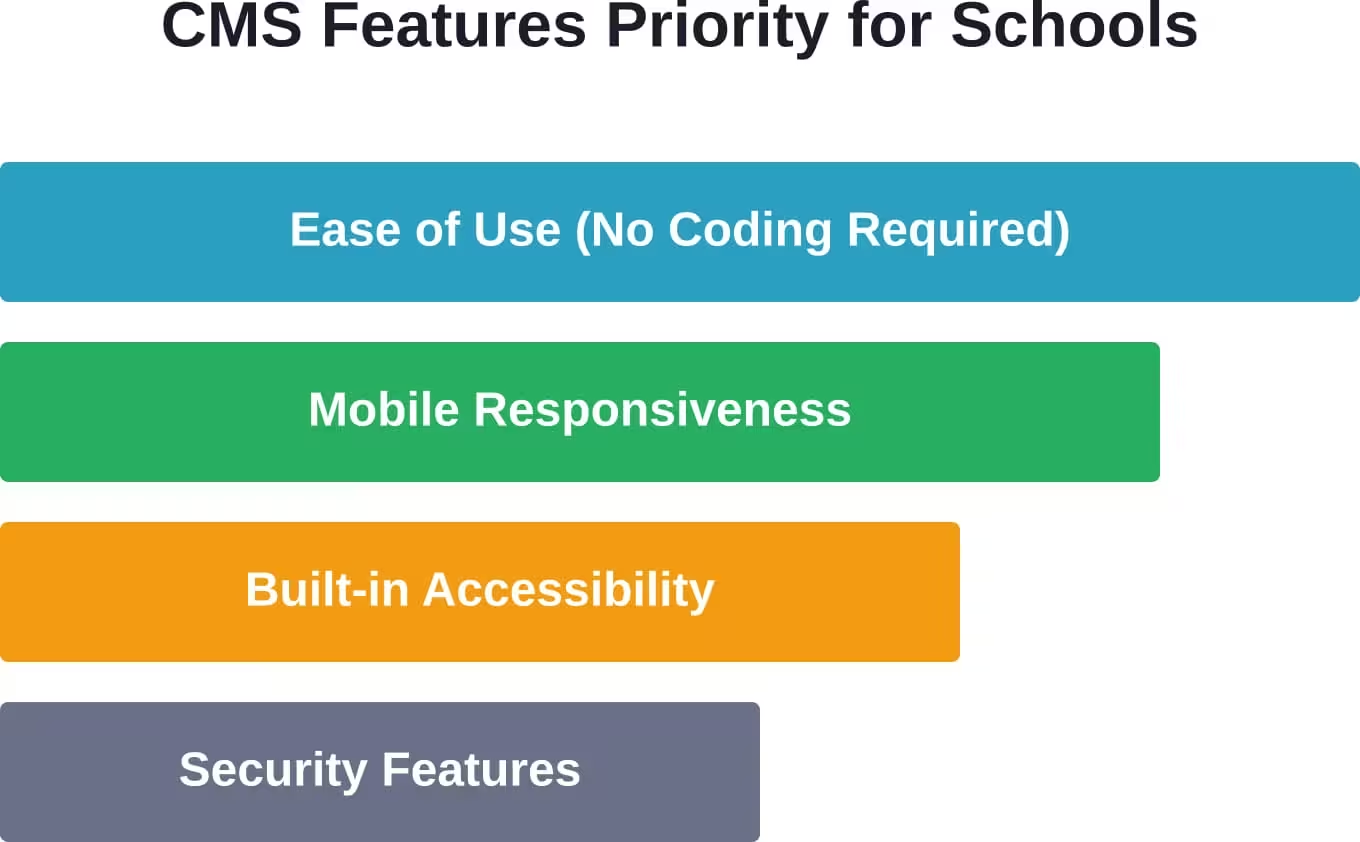
Most schools don’t have dedicated web development teams. Staff members who update the website are often teachers, administrative assistants, or communications directors with minimal technical training.
That reality shapes CMS requirements dramatically.
Drag-and-Drop vs. Traditional Development
Community discussions consistently highlight the tension between customization and usability. Platforms built specifically for schools offer pre-configured templates for calendars, staff directories, athletics schedules, and lunch menus.
Generic website builders provide more design flexibility but require more technical knowledge to implement school-specific features. The trade-off matters because staff turnover affects long-term maintainability.
Schools that hire external developers for custom builds often struggle when that developer relationship ends. Documentation gaps and proprietary code create dependency.
Critical Features for Educational Institutions
School websites serve distinctly different audiences with overlapping needs. Prospective families evaluate the institution. Current families need logistical information. Students require academic resources. Staff need administrative tools.
| Feature Category | Primary Audience | Business Impact |
|---|---|---|
| Virtual tours and photo galleries | Prospective families | Enrollment conversion |
| Calendar and event management | Current families and staff | Reduced administrative queries |
| Document repositories | Staff and current families | Operational efficiency |
| News and announcements | All audiences | Community engagement |
| Online forms and applications | Prospective families | Streamlined admissions |
Enrollment Management Integration
For independent and private schools, the website directly impacts the bottom line. Enrollment inquiries convert at higher rates when websites provide clear pathways to application, financial aid information, and contact with admissions staff.
Multi-step forms embedded directly in the site reduce friction. Families don’t want to download PDFs, print them, fill them manually, and scan them back.
But wait. Integration with student information systems creates security considerations. Payment processing for application fees requires PCI compliance. Background check integrations for volunteer applications add another layer.
Mobile-First Design Imperatives
Parents check school websites from phones in pickup lines. Students access homework assignments from tablets. Staff pull up schedules on mobile devices between classes.
Mobile traffic dominates school website analytics across virtually all institutions. Sites that don’t render properly on smartphones frustrate users and damage credibility.
Responsive design isn’t about shrinking desktop layouts. Navigation patterns need rethinking. Touch targets need sizing for fingers, not mouse cursors. Load times matter more on cellular connections.
Security and Privacy Protocols
Schools handle sensitive data. Student records, staff information, financial details, and health documentation require protection.
According to the National Center for Education Statistics, web-related security considerations include blocking multimedia downloads due to bandwidth use and copyright concerns, filtering inappropriate content, and controlling access permissions.
SSL certificates are baseline requirements, not optional upgrades. Regular security updates matter because educational institutions are frequent targets for attacks.
User Permission Management
Not everyone needs access to everything. Athletics directors should update game schedules without touching academic program pages. Teachers might post classroom newsletters without administrative access.
Role-based permissions prevent accidental content deletion and limit exposure if credentials are compromised. Content approval workflows add quality control before publication.
Training and Long-Term Maintainability
Here’s what community discussions emphasize repeatedly: the best CMS is the one staff will actually use.
Platforms with extensive features but steep learning curves collect dust. Staff revert to email announcements and paper flyers because updating the website feels too complicated.
Research on usability testing for educational technology websites found that remote usability test sessions averaged 21 minutes, providing valuable insights into how actual users interact with interfaces.
Training can’t be a one-time launch event. Staff turnover requires repeatable onboarding processes. Documentation needs maintenance alongside the site itself.
Choosing Between Platforms and Custom Solutions
School-specific platforms offer pre-built templates and features designed for educational institutions. Generic CMS platforms like WordPress provide flexibility but require more configuration.
Custom development delivers exactly what a school needs but costs significantly more upfront and ongoing.
| Approach | Best For | Key Consideration |
|---|---|---|
| School-specific platform | Schools with limited technical resources | Subscription costs ongoing |
| Generic CMS with plugins | Schools with some technical capability | Requires active management |
| Custom development | Large institutions with unique needs | High initial investment |
| Hybrid approach | Schools transitioning platforms | Integration complexity |
Budget constraints shape these decisions significantly. Subscription models spread costs over time. Custom builds require substantial upfront capital but eliminate recurring platform fees.
Performance Optimization Strategies
Slow websites frustrate users and hurt search engine rankings. Image optimization matters because schools upload high-resolution photos from cameras and smartphones without resizing.
Caching reduces server load during high-traffic periods—like when report cards release or registration opens. Content delivery networks improve load times for geographically distributed audiences.
Performance impacts accessibility too. Users on slower connections or older devices struggle with bloated pages.
SEO Considerations for School Websites
Prospective families search for “private schools near me,” “best elementary schools in [city],” and similar queries. Schools compete for local search visibility.
Structured data markup helps search engines understand academic programs, events, and organizational information. Local business schema applies to physical school locations.
Content strategy matters. Regular updates signal active management. News posts, blog articles about educational philosophy, and program highlights provide indexable content beyond static pages.
Moving Forward with School Website Development
Effective school websites balance competing priorities. Accessibility compliance protects all users and satisfies legal requirements. User-friendly content management empowers staff to keep information current. Mobile responsiveness meets families where they access information. Security protocols protect sensitive data.
Technology will continue evolving, but core principles remain constant. Schools succeed when they prioritize user needs over flashy features, invest in training alongside technology, and choose platforms aligned with their technical capabilities.
The best website development approach for a school depends on budget, technical resources, specific feature requirements, and long-term maintenance capacity. Start by defining clear goals, understanding audiences, and evaluating options against actual needs rather than wish lists.
Ready to build or upgrade a school website? Begin with a thorough audit of current pain points, gather input from all stakeholder groups, and investigate platforms with proven track records in educational settings. The investment in planning pays dividends in outcomes.