Quick Summary: Website development for MSPs requires a strategic approach that combines technical excellence with lead generation. A successful MSP website must address both technical and non-technical audiences, showcase expertise through case studies and social proof, implement robust security practices aligned with NIST and CISA guidelines, and convert visitors into qualified leads through clear calls-to-action and optimized user experience.
The managed services industry sits at an interesting crossroads. On one hand, Gartner predicted that the total worldwide IT spending for 2025 would be $5.74 trillion, which would represent 9.3% growth over 2024 spending. On the other, many channel firms believe the MSP business model needs to evolve.
And the website? That’s where evolution starts.
MSP websites face a unique challenge. They need to speak technical language to IT decision-makers while remaining accessible to C-suite executives who care about business outcomes, not packet routing. They must demonstrate security expertise while making that expertise feel approachable. Most importantly, they need to convert visitors into leads—something many MSP sites handle poorly.
Here’s the thing though—building a converting MSP website isn’t about flashy animations or clever copywriting tricks. It’s about understanding what prospects actually need when they’re evaluating managed service providers and delivering that information in a way that builds trust.
The Foundation: Why MSP Website Development Differs
Generic website advice doesn’t cut it for managed service providers. The sales cycle is long. The contracts are substantial. The trust requirement is massive—businesses are essentially handing over their entire IT infrastructure.
That creates specific website requirements.
First, dual audience navigation. A single visitor might be a technical IT manager doing vendor research or a CEO who last touched a server in 1998. Both need to find relevant information without wading through content meant for the other. Some MSPs handle this with separate navigation paths. Others use progressive disclosure—starting with business outcomes, then offering technical depth for those who want it.
Second, the security credibility gap. According to CISA’s joint Cybersecurity Advisory with the NSA and FBI, MSPs represent high-value targets for adversaries. When prospects evaluate an MSP, they’re wondering: “Can this provider protect my business when they’re being actively hunted by sophisticated threat actors?”
The website needs to answer that question convincingly.
Third, the partnership perception. Many channel firms partner with other organizations, with significant numbers describing partnering as strategic and formalized. Prospects don’t just want a vendor—they want a technology partner who’ll grow with them. Website messaging needs to reflect partnership, not transactions.
Build an MSP Website That Works as Part of Your Business
Many MSP websites try to cover everything at once, but end up making services harder to follow. Visitors scroll, skim, and leave without fully understanding what’s actually offered. Lengreo handles website development as a structured build, where the focus is on how the site is put together and delivered. Instead of adding more pages or content, the website is developed to reflect how services are defined and presented.
Set Up an MSP Website Based on Your Requirements
With Lengreo, the website is developed through a step-by-step process aligned with your business goals:
- Discovery to define your goals and requirements
- Design and prototyping with review stages
- Front-end and back-end development
- Testing and launch preparation
Talk to Lengreo and get your MSP website built to match your services.
Strategic Planning Before Development
Real talk: most MSP website projects fail at the planning stage. Someone decides “we need a new website,” picks a platform, maybe hires a designer, and starts building. Six months later, they have a beautiful site that generates zero leads.
Strategic planning means answering hard questions first.
Define the Primary Conversion Goal
What action should visitors take? Sounds obvious, but many MSP sites have no clear answer. Some possibilities:
- Schedule a network assessment
- Download a security checklist
- Request a customized service quote
- Start a live chat for immediate questions
- Register for a cybersecurity webinar
Pick one primary goal. Build the entire site architecture around making that action easy and compelling.
Map the Buyer Journey
MSP buyers typically move through distinct stages:
- Problem awareness: “Our current IT situation isn’t working.” These visitors need content that validates their frustrations and introduces managed services as a solution category.
- Solution research: “What do MSPs actually do?” These visitors need service explanations, pricing transparency, and differentiation from other IT service models.
- Provider evaluation: “Which MSP should we choose?” These visitors need case studies, testimonials, technical credentials, and response time commitments.
- Decision validation: “Are we making the right choice?” These visitors need risk reversal—guarantees, trial periods, or detailed onboarding processes that reduce perceived risk.
Each stage needs specific content. The website architecture should guide visitors naturally from one stage to the next.
Competitive Positioning
What makes this MSP different? Not “we provide excellent service”—everyone claims that. Real differentiation comes from specifics:
- Vertical specialization (healthcare MSP, legal MSP, manufacturing MSP)
- Geographic focus with local response teams
- Specific technology partnerships or certifications
- Proprietary tools or processes
- Unique service delivery models
The website’s visual design, messaging, and content should all reinforce that positioning consistently.
Platform Selection for MSP Websites
The platform decision shapes everything that follows. Choose wrong, and technical limitations will haunt the site for years.
WordPress: The Flexible Standard
WordPress powers a significant percentage of MSP websites. The appeal is clear—massive plugin ecosystem, familiar interface, thousands of developers who can work on it, and enough flexibility to build nearly anything.
For MSPs, specific advantages include:
- Security plugin compatibility with tools like Wordfence, Sucuri, or iThemes Security. MSPs can demonstrate their security expertise by properly hardening their own WordPress installation.
- Marketing automation integration with HubSpot, ActiveCampaign, or other MSP-focused CRM systems. Lead capture forms, email sequences, and behavioral tracking all connect relatively easily.
- Custom post types for case studies, service pages, team members, and testimonials—allowing structured content that displays consistently.
But WordPress requires maintenance. Core updates, plugin updates, security monitoring, and backup management. For an MSP, that’s not really a drawback—it’s an opportunity to eat your own cooking and demonstrate managed website services.
Custom Development: Maximum Control
Some MSPs choose custom development using modern frameworks—React, Vue, Next.js, or similar. This approach offers complete control over performance, security architecture, and user experience.
The tradeoff? Higher initial cost and longer development time. Content updates often require developer involvement. Integration with marketing tools may need custom API work.
Custom development makes sense when:
- The MSP offers unique services requiring unusual website functionality
- Client portal integration is central to the website’s purpose
- Performance and security requirements exceed what standard platforms deliver
- In-house development resources are available for ongoing maintenance
Website Builders: Speed vs. Limitation
Platforms like Squarespace, Wix, or Webflow offer faster deployment with less technical complexity. Modern website builders have improved significantly—some now offer decent SEO capabilities and acceptable customization.
The limitation? Scaling becomes problematic. As the MSP grows and marketing needs evolve, website builders hit ceilings. Advanced lead scoring, complex automation, API integrations, or custom functionality often prove difficult or impossible.
Website builders work best for smaller MSPs focused on local markets with straightforward service offerings. Growing MSPs typically outgrow them within 2-3 years.
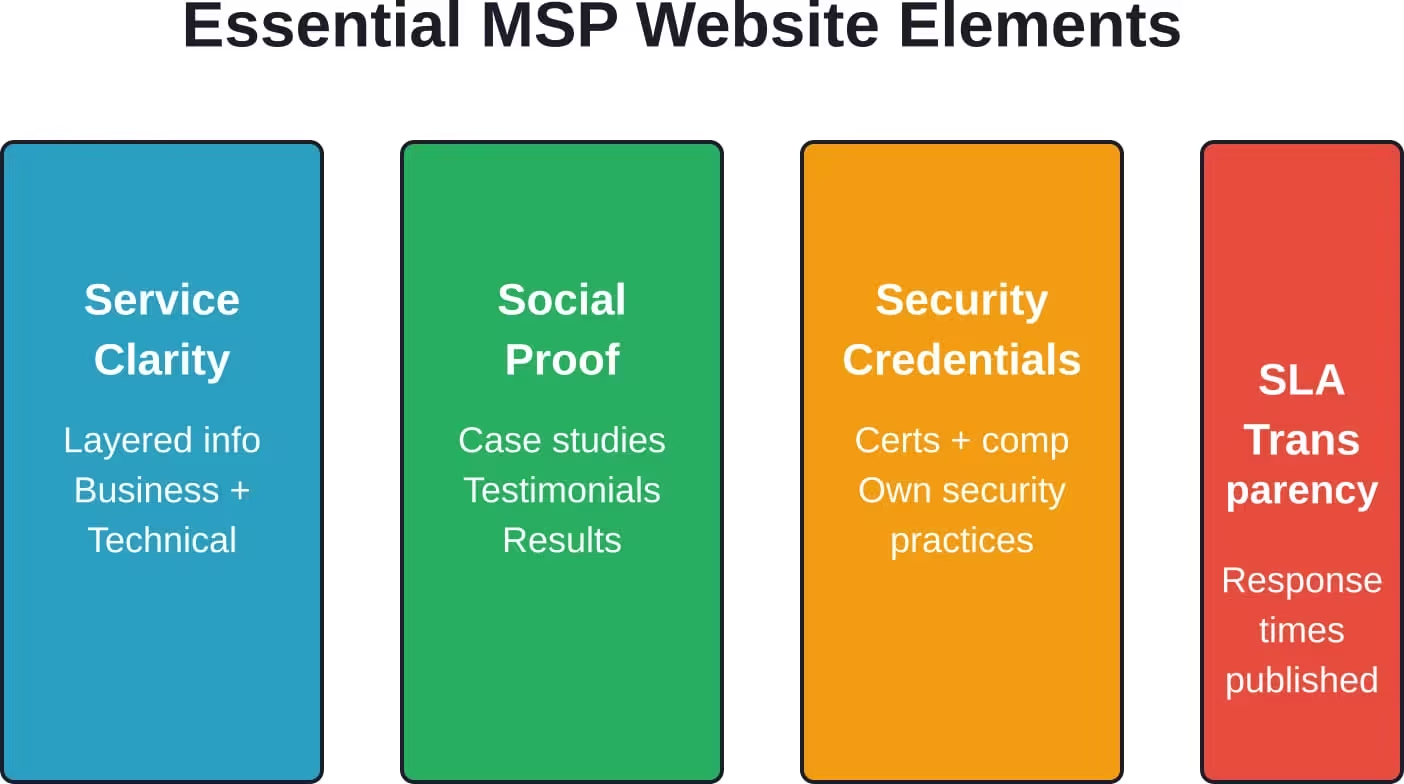
Essential MSP Website Elements
Certain elements appear consistently on high-converting MSP websites. Not by accident—these components address specific visitor concerns and objections.
Service Clarity Without Jargon Overload
MSP service descriptions walk a tightrope. Too technical, and business decision-makers bounce. Too simplified, and IT managers question competence.
The solution? Layered information architecture.
Start with business outcomes. “24/7 network monitoring” becomes “Sleep better knowing your systems are watched around the clock by certified technicians.” Then offer technical depth for those who want it—monitoring tools used, response time SLAs, escalation procedures.
Structure each service page with:
- Business problem it solves (the pain point)
- How the service works (high-level process)
- What’s included (deliverables and scope)
- Technical specifications (for IT stakeholders)
- Pricing transparency or starting points
- Next step (clear call-to-action)
Social Proof That Actually Proves Something
Generic testimonials (“Great service! Highly recommend!”) convince nobody. Effective social proof includes specific details, measurable outcomes, and credible sources.
Strong testimonial structure:
- Client’s name, title, and company (real people, not anonymous)
- The specific problem they faced before hiring the MSP
- The solution implemented and process followed
- Measurable results achieved (uptime improvement, cost reduction, incident reduction)
- How long they’ve been a client (demonstrating retention)
Case studies take this further. Detailed narratives showing problem, solution, and results build credibility better than any marketing copy. Ideal case study length runs 800-1,200 words with specific technical details, implementation timeline, and quantified outcomes.
Security Credentials and Compliance
CISA’s advisory on protecting MSPs and their customers emphasizes that adversaries specifically target managed service providers as a path to multiple victims. Prospects know this. The website needs to address it directly.
Effective security credentialing includes:
- Certifications displayed prominently: CISSP, Security+, CEH, or vendor-specific security certifications. Don’t just show logos—explain what each certification means and why it matters.
- Compliance frameworks: If serving regulated industries, detailed compliance support for HIPAA, PCI-DSS, SOC 2, or CMMC. NIST Cybersecurity Framework alignment demonstrates maturity.
- Security practices transparency: Describe the MSP’s own security posture. Multi-factor authentication policies, privileged access management, security awareness training for staff, incident response capabilities.
CISA recommends MSPs identify and disable unused accounts, enforce MFA on all MSP accounts with access to customer environments, and implement phishing-resistant MFA where possible. An MSP website that explains how the company follows these practices builds immediate trust.
Response Time and SLA Transparency
One of the most common questions prospects ask: “When something breaks, how fast do you respond?” Yet many MSP websites hide this information, forcing prospects to schedule a call to learn basics.
Transparent MSP websites publish:
- Emergency response time commitments
- Standard ticket response time by priority level
- Support availability hours
- After-hours support procedures
- Escalation paths for critical issues
This transparency demonstrates confidence. MSPs hiding SLA information signal they’re uncomfortable committing to specific standards.
Pricing Indicators
MSP pricing complexity is real. Variables include user count, server count, service tier, industry requirements, and existing infrastructure. Publishing exact prices often proves impossible.
But complete pricing opacity creates friction.
Approaches that work:
- Starting price ranges: “Essential support packages typically start at $XXX per user per month” gives prospects budget guidance without false precision.
- Pricing methodology transparency: Explain how pricing is calculated—what factors influence cost, what’s included in base packages vs. add-ons.
- Interactive pricing calculators: Simple tools that estimate costs based on user count and service tier provide value while capturing lead information.
- Pricing comparison: Position MSP costs against hiring in-house IT staff or managing infrastructure internally. Frame pricing as investment, not expense.
Technical Implementation and Security
Building an MSP website that preaches cybersecurity while implementing sloppy security practices undermines credibility instantly. Technical implementation matters—not just for functionality, but as proof of competence.
Following OWASP Secure Coding Practices
The OWASP Secure Coding Practices Quick Reference Guide is a stable but older resource; for modern web development, OWASP recommends the Application Security Verification Standard (ASVS) or the Software Assurance Maturity Model (SAMM). MSP websites should follow these guidelines as a baseline demonstration of security awareness.
Key practices include:
- Input validation: All data from untrusted sources gets validated on a trusted system—server-side, not client-side. This prevents injection attacks, XSS, and other common vulnerabilities.
- Output encoding: Data displayed to users gets properly encoded for the context (HTML, JavaScript, CSS, URL). Prevents XSS and ensures special characters don’t break functionality.
- Authentication and session management: Strong password requirements, secure session handling, automatic logout after inactivity, protection against brute force attacks.
- Access control: Principle of least privilege for all CMS users and website functionality. Role-based access controls prevent unauthorized access to sensitive features.
MSPs can document their adherence to OWASP standards in website security documentation or privacy policies—demonstrating security maturity to technical evaluators.
SSL/TLS Implementation
Every MSP website must use HTTPS exclusively. Not just on forms—everywhere. Mixed content warnings or insecure page elements destroy trust immediately.
Beyond basic SSL:
- Use TLS 1.2 or higher (disable older protocols)
- Implement HTTP Strict Transport Security (HSTS) headers
- Configure secure cipher suites
- Enable certificate transparency
- Set up automated certificate renewal
Tools like SSL Labs’ SSL Test provide public scoring of SSL implementation. An A+ rating signals security competence. A C or lower rating signals problems.
Security Headers
HTTP security headers provide defense-in-depth protection against various attacks. MSP websites should implement:
- Content-Security-Policy: Controls which resources the browser can load, preventing XSS attacks and data injection.
- X-Frame-Options: Prevents clickjacking by controlling whether the site can be embedded in frames.
- X-Content-Type-Options: Prevents MIME type sniffing attacks.
- Referrer-Policy: Controls how much referrer information is shared with other sites.
- Permissions-Policy: Controls which browser features and APIs the site can access.
Security header implementation demonstrates attention to detail that prospects notice—particularly technical evaluators who check these things.
Performance Optimization
Site speed impacts both SEO and conversion rates. Slow-loading MSP websites signal technical incompetence—if they can’t optimize their own site, how will they optimize client infrastructure?
Essential optimizations:
- Image compression and modern formats: WebP or AVIF formats deliver smaller file sizes. Lazy loading defers off-screen images. Responsive images serve appropriate sizes for different devices.
- Code minification: CSS, JavaScript, and HTML minification reduces file sizes. Compression (gzip or Brotli) further reduces bandwidth requirements.
- Caching strategies: Browser caching for static assets, server-side caching for dynamic content, CDN implementation for geographic distribution.
- Database optimization: Query optimization, proper indexing, connection pooling for CMS-driven sites.
Target Core Web Vitals scores in the “Good” range—Largest Contentful Paint under 2.5s, First Input Delay under 100ms, Cumulative Layout Shift under 0.1.
Lead Generation Architecture
A beautiful MSP website that generates zero leads failed its primary mission. Lead generation requires intentional architecture—not just slapping a contact form on every page.
Multiple Conversion Paths
Visitors arrive at different stages of readiness. Some want immediate contact. Others need more information first. Effective sites offer multiple conversion paths matching different commitment levels.
| Commitment Level | Conversion Action | Lead Quality | Conversion Rate |
|---|---|---|---|
| High | Schedule consultation call | Very High | Low |
| Medium-High | Request custom quote | High | Medium-Low |
| Medium | Download buyer’s guide | Medium | Medium |
| Low-Medium | Subscribe to newsletter | Low-Medium | Medium-High |
| Low | Use pricing calculator | Low | High |
The architecture should guide visitors toward the highest commitment level they’re ready for, while capturing lower-commitment leads for nurturing.
Strategic Form Design
Form length impacts conversion rates inversely—more fields, fewer submissions. But shorter forms generate lower-quality leads. The balance depends on lead volume versus lead quality priorities.
High-commitment forms (consultation requests) can ask more questions:
- Name and title
- Company name and size
- Email and phone
- Current IT situation
- Primary challenges or goals
- Timeline for decision
These visitors are serious enough to complete longer forms. The additional information qualifies the lead and enables more relevant initial conversations.
Low-commitment forms (resource downloads) should minimize friction:
- Email address
- Company size (optional)
Progressive profiling can gather additional data over time through subsequent interactions.
Live Chat Implementation
Live chat serves two distinct purposes on MSP websites. First, it captures visitors who won’t fill forms but will engage conversationally. Second, it provides immediate answers that accelerate decision-making.
Effective chat implementation requires:
- Qualified operators: Chat should be handled by people who can answer technical questions, not script-reading assistants. For smaller MSPs, this might mean owner or senior technician availability during business hours.
- Chatbot pre-qualification: Automated bots can qualify visitors before human handoff—asking about company size, current IT situation, and urgency. This information helps route conversations appropriately.
- Offline messaging: When live operators aren’t available, chat should collect contact information and questions for follow-up rather than displaying “We’re offline” dead ends.
- Integration with CRM: Chat conversations should automatically log in the CRM system with full conversation history, contact information, and qualification data.
Content Upgrades and Lead Magnets
Generic “Download our whitepaper” CTAs underperform. Context-specific content upgrades outperform generic offers significantly.
Example: a blog post about ransomware prevention might offer “Ransomware Response Checklist” as an in-content upgrade. A service page about cloud migration might offer “Cloud Migration Cost Calculator” or “Cloud Readiness Assessment.”
The content upgrade directly extends the page’s value rather than requiring a mental shift to generic resources.
Content Strategy for MSP Websites
Content serves multiple purposes—educating prospects, demonstrating expertise, supporting SEO, and nurturing leads. But random blog posts don’t accomplish these goals. Strategic content follows intentional patterns.
Educational Content That Addresses Real Questions
Prospects researching MSPs ask predictable questions. Content that answers these questions captures organic search traffic and builds trust simultaneously.
Common MSP research questions:
- “What does a managed service provider actually do?”
- “How much does managed IT support cost?”
- “MSP vs. break-fix IT support—what’s the difference?”
- “How to choose a managed service provider?”
- “What should MSP SLAs include?”
- “How quickly do MSPs respond to problems?”
Each question represents search intent and conversion opportunity. Content that thoroughly answers these questions while naturally positioning the MSP’s approach serves both SEO and sales purposes.
Technical Deep-Dives
While educational content targets business decision-makers, technical content targets IT stakeholders who influence or make purchasing decisions. These readers want depth, not simplified explanations.
Technical content opportunities:
- Security implementation guides (MFA deployment, endpoint protection, network segmentation)
- Technology comparisons (VDI solutions, backup platforms, monitoring tools)
- Best practices documentation (patch management, user provisioning, disaster recovery)
- Industry-specific compliance guidance (HIPAA, PCI-DSS, CMMC)
This content demonstrates technical competence while attracting search traffic from IT professionals researching solutions.
Case Studies as Conversion Content
Case studies occupy a unique position—they’re content, but they’re primarily conversion tools. Detailed success stories reduce perceived risk by showing the MSP has solved similar problems successfully.
High-impact case study structure:
- Client introduction: Industry, size, location—enough detail for readers to see similarity to their own situation.
- Challenge description: The specific problems the client faced, including business impact and technical issues. Real challenges, not vague “they needed better IT support.”
- Solution implementation: What the MSP actually did, including technologies deployed, processes implemented, and timeline followed. Technical specificity builds credibility.
- Results achieved: Quantified outcomes—uptime improvement, cost savings, incident reduction, compliance achievement. Numbers outperform qualitative descriptions.
- Client testimony: Direct quotes from decision-makers about the experience and results. Real people with titles and companies, not anonymous praise.
Aim for 1,000+ word case studies with specific details. Generic 300-word case studies convince nobody.
SEO for MSP Websites
MSP SEO differs from general SEO advice because of geographic targeting, technical complexity, and B2B buying cycles. Generic SEO tactics often miss MSP-specific opportunities.
Local SEO for Geographic Targeting
Most MSPs serve defined geographic areas—either by choice or necessity for on-site support. Local SEO captures prospects searching for “MSP near me” or “managed services [city name].”
Essential local SEO elements:
- Google Business Profile optimization: Complete profile with accurate category selection, service area definition, business hours, and regular posts. Photos of the team and office build credibility.
- NAP consistency: Name, address, and phone number must match exactly across the website, Google Business Profile, and all directory listings. Inconsistency confuses search engines and dilutes local signals.
- Location-specific content: Service area pages for each target city or region, with genuine local content—not just template pages with city names swapped.
- Local citations: Listings in business directories, chamber of commerce sites, local business associations, and industry-specific directories. Quality over quantity—relevant directories in the MSP’s service area.
- Reviews and ratings: Consistent flow of Google reviews from satisfied clients. Review generation processes should be systematic, not random.
Technical SEO Fundamentals
Technical SEO ensures search engines can crawl, index, and understand the site properly. For MSPs demonstrating technical competence, sloppy technical SEO undermines positioning.
Critical technical elements:
- XML sitemap: Comprehensive sitemap submitted to Google Search Console and Bing Webmaster Tools, updated automatically when content changes.
- Robots.txt configuration: Properly configured to allow crawler access while blocking admin areas, search results, and duplicate content.
- Structured data markup: Schema.org markup for organization, local business, services, reviews, and articles. Helps search engines understand content and enables rich results.
- Mobile optimization: Responsive design that works on all devices. Mobile-first indexing means Google primarily uses mobile version for ranking.
- Page speed: Core Web Vitals optimization impacts both rankings and user experience. Slow sites rank lower and convert worse.
- URL structure: Clean, descriptive URLs following logical hierarchy. Avoid long strings of numbers, session IDs, or meaningless parameters.
Content Optimization
Search engines rank content that comprehensively answers search intent. Thin, generic content underperforms regardless of keyword optimization.
Content optimization practices:
- Keyword research for actual search behavior: Tools like Google Keyword Planner, Ahrefs, or SEMrush reveal what prospects actually search for—often different from industry jargon.
- Search intent alignment: Match content to intent—informational content for research queries, comparison content for evaluation queries, conversion-focused content for decision queries.
- Comprehensive coverage: Cover topics thoroughly rather than superficially. 2,000-word comprehensive guide outranks ten 200-word shallow articles.
- Internal linking: Connect related content strategically. Service pages link to relevant case studies. Educational content links to service pages. Technical articles link to related technical content.
- Regular updates: Refresh existing high-performing content regularly. Updated publication dates, current statistics, and expanded information maintain rankings better than creating new content constantly.
Conversion Optimization
Traffic without conversion accomplishes nothing. Conversion rate optimization (CRO) turns visitors into leads through systematic testing and refinement.
Understanding Conversion Barriers
Before optimizing conversions, identify what’s preventing them. Common MSP website conversion barriers include:
- Trust deficit: Insufficient social proof, missing credentials, no third-party validation, unclear company background.
- Confusion: Unclear value proposition, complicated service descriptions, confusing navigation, too many choices.
- Risk perception: No guarantees, unclear onboarding process, long contracts without trial periods, no exit terms.
- Friction: Long forms, too many steps, technical problems, slow loading, broken functionality.
Analytics and user testing reveal which barriers affect specific sites. Heatmaps show where users abandon. Session recordings expose confusion points. Exit surveys ask departing visitors what prevented conversion.
A/B Testing Framework
Systematic testing beats guessing. A/B testing compares variations to identify what actually improves conversion—not what seems like it should work.
High-impact test candidates:
- Primary CTA button text and color
- Form length and field requirements
- Headline variations emphasizing different benefits
- Social proof placement and quantity
- Page layout and content sequence
- Pricing display and transparency level
Testing discipline requires:
Sufficient traffic volume—tests need statistical significance, typically requiring hundreds of conversions per variation. Low-traffic sites should test high-impact elements only.
Single-variable testing—change one element at a time to identify what caused results. Multivariate testing requires exponentially higher traffic.
Patience for statistical significance—stopping tests early because one variation appears to lead produces false conclusions. Run tests until reaching 95% confidence minimum.
Personalization Based on Visitor Behavior
Advanced MSP websites personalize content based on visitor behavior, source, or characteristics. This requires marketing automation integration but significantly improves conversion.
Personalization opportunities:
- Industry-specific content: Visitors from healthcare domains see healthcare-focused case studies and compliance messaging. Manufacturing visitors see manufacturing content.
- Return visitor recognition: Returning visitors see different CTAs than first-timers—perhaps moving from educational content offers to consultation requests.
- Source-based messaging: Visitors from Google Ads see reinforcement of the ad messaging they clicked. Organic visitors see different positioning.
- Geographic targeting: Visitors from the MSP’s service area see local messaging and nearby case studies. Out-of-area visitors see different content or referral messaging.
Integration with MSP Business Systems
MSP websites don’t exist in isolation. Integration with business systems streamlines operations and improves lead handling.
CRM Integration
Every website lead should automatically flow into the CRM system with full context—form submission data, pages viewed, content downloaded, chat transcripts.
This integration enables:
- Immediate lead routing to appropriate salespeople
- Automated follow-up sequences based on lead source and behavior
- Lead scoring based on engagement level and fit indicators
- Closed-loop reporting connecting website activity to closed deals
Popular MSP CRM platforms like ConnectWise Manage, Autotask, or HubSpot offer native or third-party website integrations.
Client Portal Integration
Some MSPs integrate their website with client portals, allowing seamless transitions from marketing site to support portal. This works particularly well when prospects can access self-service tools or resources through the same system existing clients use for support.
Integration benefits include:
- Reduced friction for new client onboarding
- Consistent branding between marketing and support experiences
- Single sign-on reducing password management
- Unified analytics showing full customer journey
Marketing Automation
Website behavior triggers automated marketing sequences. A visitor who downloads a ransomware guide enters a sequence about security services. Someone who views pricing pages repeatedly gets outreach from sales.
Effective automation requires:
- Behavior tracking: Monitoring page views, content downloads, video watches, and time on site to understand interest level.
- Lead scoring: Assigning point values to different actions, with high scores triggering sales notifications.
- Email sequences: Relevant follow-up content based on initial interest, moving prospects through the buyer journey.
- Multi-channel coordination: Combining email, retargeting ads, and sales outreach into coordinated campaigns.
Accessibility and Compliance
Website accessibility isn’t just ethical—it’s increasingly required legally. ADA compliance litigation against inaccessible websites continues rising.
WCAG 2.1 Compliance
Web Content Accessibility Guidelines (WCAG) 2.1 Level AA represents the standard for website accessibility. Compliance ensures people with disabilities can access content.
Key requirements include:
- Keyboard navigation: All functionality accessible without a mouse, using keyboard only.
- Screen reader compatibility: Proper semantic HTML, ARIA labels, alt text for images, logical heading hierarchy.
- Color contrast: Sufficient contrast ratios between text and backgrounds for readability.
- Resizable text: Content remains functional when text size increases 200%.
- Clear focus indicators: Visible indication of which element currently has keyboard focus.
Automated testing tools like WAVE, axe, or Lighthouse identify many accessibility issues. Manual testing with screen readers catches problems automated tools miss.
Privacy and Data Protection
MSPs handle sensitive client data. The website’s privacy practices need to reflect appropriate data handling standards.
Essential privacy elements:
- Privacy policy: Clear documentation of what data gets collected, how it’s used, who it’s shared with, and how long it’s retained.
- Cookie consent: Proper cookie notice and consent mechanism, particularly for EU visitors (GDPR) or California residents (CCPA).
- Data security: SSL/TLS encryption, secure form handling, no unnecessary data collection.
- Third-party disclosure: Transparency about analytics tools, marketing platforms, and other third-party services that collect visitor data.
Ongoing Maintenance and Evolution
Website launch isn’t the end—it’s the beginning. Effective MSP websites evolve continuously based on performance data and changing business needs.
Regular Content Updates
Stale content signals abandonment. Regular updates demonstrate active business and improve SEO.
Content maintenance includes:
- Monthly blog posts or technical articles
- Quarterly case study additions
- Annual service page reviews and updates
- Ongoing performance monitoring and optimization
Content calendars prevent random updates in favor of strategic, consistent publishing.
Security Monitoring
MSP websites face constant security threats. Monitoring and rapid response prevent compromises that would devastate credibility.
Security monitoring practices:
- Automated vulnerability scanning
- Uptime monitoring with immediate alerts
- Login attempt monitoring and brute force protection
- File integrity monitoring detecting unauthorized changes
- Regular backup verification
Many MSPs use their own monitoring tools on their website—dogfooding demonstrates confidence in their solutions.
Performance Tracking
Regular analytics review identifies opportunities and problems. Key metrics for MSP websites include:
| Metric Category | Key Indicators | Target Benchmarks |
|---|---|---|
| Traffic | Organic visitors, direct traffic, referral sources | Month-over-month growth |
| Engagement | Pages per session, time on site, bounce rate | 3+ pages, 2+ minutes, <60% bounce |
| Conversion | Form submissions, chat conversations, calls | 2-5% visitor-to-lead conversion |
| Lead Quality | Qualified lead rate, lead-to-opportunity rate | 40%+ qualified rate |
| SEO | Keyword rankings, organic visibility, backlinks | Top 3 for priority terms |
Monthly reporting reveals trends. Quarterly deep analysis guides strategic decisions.
Common MSP Website Mistakes
Learning from others’ mistakes saves time and money. Common MSP website failures follow predictable patterns.
Tech Jargon Overload
MSPs sometimes forget that decision-makers aren’t always technical. Pages stuffed with acronyms, technical specifications, and infrastructure details alienate business buyers.
The fix? Lead with business outcomes. Layer in technical depth for those who want it. Never assume everyone speaks the technical language.
Missing Social Proof
New MSPs often lack testimonials or case studies. Without social proof, prospects struggle to trust claims about service quality or expertise.
Alternatives when client testimonials are limited:
- Team credentials and certifications
- Technology partnerships and vendor recognition
- Industry association memberships
- Years of combined team experience
- Community involvement or speaking engagements
Build social proof systematically—request testimonials from every satisfied client, document case studies for successful projects, pursue relevant certifications.
Generic Positioning
“We provide reliable, responsive IT support” describes every MSP. Generic positioning creates commodity competition where price becomes the only differentiator.
Effective positioning requires specificity:
- Industry specialization
- Geographic focus
- Technology expertise
- Service delivery model
- Client size specialization
Own a specific niche rather than trying to appeal to everyone.
Neglecting Mobile Experience
Some MSP websites work beautifully on desktop but break on mobile devices. Navigation becomes unusable, forms don’t function, or content overlaps.
Mobile traffic represents significant percentages of website visits—often 40-60%. A broken mobile experience loses nearly half of potential leads.
Mobile-first design ensures functionality across all devices. Regular mobile testing on actual devices (not just browser emulators) catches problems before prospects encounter them.
Unclear Next Steps
Visitors reach the end of a page and wonder “now what?” No clear call-to-action means engaged prospects leave without converting because they don’t know how to proceed.
Every page needs clear next steps. Service pages should end with consultation scheduling. Blog posts should offer related resources or encourage contact. About pages should connect to service information or contact forms.
Remove ambiguity about what visitors should do next.
Future-Proofing MSP Websites
Technology and expectations evolve. Websites built for today may underperform tomorrow without forward-thinking architecture.
AI and Automation Integration
AI capabilities increasingly influence website functionality. Chatbots handle initial qualification. Predictive analytics identify high-intent visitors. Content personalization adapts messaging dynamically.
AI integration opportunities for MSP websites include:
- Intelligent chatbots: Beyond simple scripted responses, AI-powered chat can understand context, answer complex questions, and learn from interactions.
- Predictive lead scoring: Machine learning identifies patterns in converting leads, automatically prioritizing similar prospects.
- Content recommendations: AI analyzes visitor behavior to suggest relevant case studies, articles, or resources.
- Automated content generation: For specific use cases like service availability pages or FAQ sections, AI can maintain up-to-date information.
But AI should enhance human expertise, not replace it. Prospects ultimately want to talk to knowledgeable people about their IT challenges.
Voice Search Optimization
Voice search queries differ from typed searches—more conversational, often longer, frequently question-based. Optimization requires adjusting content for how people actually speak.
Voice search optimization tactics:
- FAQ content answering natural questions
- Conversational language matching spoken queries
- Local optimization for “near me” voice searches
- Featured snippet targeting for position zero rankings
Video Content Integration
Video consumption continues increasing. MSP websites incorporating video tend to engage visitors longer and convert better.
High-impact video content types:
- Service explanation videos (60-90 seconds overview)
- Client testimonial videos (real clients describing results)
- Team introduction videos (building personal connection)
- Technical how-to videos (demonstrating expertise)
- Office and team culture videos (transparency and personality)
Professional production quality matters, but authenticity matters more. A genuine team member explaining services on smartphone video outperforms slick generic stock footage.
Conclusion
Website development for MSPs comes down to understanding a fundamental tension. The technology is complex, but the messaging must be clear. The sales cycle is long, but the website must engage quickly. The audience is diverse, but the content must resonate with everyone from technical IT managers to non-technical executives.
Successful MSP websites resolve these tensions through strategic planning, audience understanding, and relentless focus on conversion. They demonstrate technical competence without drowning visitors in jargon. They build trust through social proof, security credibility, and transparency. They make taking the next step obvious and compelling.
The MSP market continues growing—Gartner predicted that the total worldwide IT spending for 2025 would be $5.75 trillion, which would represent a massive opportunity. But with many channel firms believing the MSP business model needs to evolve, standing still means falling behind.
The website represents the MSP’s digital storefront, first impression, and primary marketing asset. Getting it right matters—not just for generating leads today, but for building the foundation for sustainable growth.
Start with strategy, not design. Understand the target audience deeply. Build conversion architecture intentionally. Implement security practices that demonstrate competence. Create content that educates and builds trust. Test, measure, and optimize continuously.
And remember—the best MSP website isn’t the flashiest or most technically impressive. It’s the one that most effectively turns the right visitors into qualified leads, then into long-term clients.
Ready to build an MSP website that actually generates qualified leads? Start by auditing the current site against the elements covered here, identifying gaps, and prioritizing improvements that will deliver the biggest conversion impact.