Quick Summary: Website development for law firms combines secure infrastructure, user-focused design, and compliance to create digital platforms that attract clients and streamline operations. Modern law firm websites require ADA accessibility, mobile optimization, fast load times, and integration with practice management systems—all while maintaining client confidentiality and meeting strict cybersecurity standards.
A law firm’s website isn’t just a digital brochure anymore. It’s often the first interaction potential clients have with the practice, and that first impression matters more than most attorneys realize.
According to Clio’s publication, 96% of potential clients use search engines to find legal advice, making the quality of a law firm’s online presence crucial to visibility and client acquisition. But building an effective legal website involves more than choosing a template and uploading content.
Security concerns, ethical compliance, accessibility standards, and conversion optimization all factor into successful website development for law firms. This guide walks through what attorneys need to know when building or redesigning their firm’s website in 2026.
Why Law Firm Websites Require Specialized Development
Legal websites operate under constraints that general business sites don’t face. Attorney advertising rules, client confidentiality requirements, and accessibility mandates create a unique development environment.
Most manufacturers and service businesses follow some cybersecurity and privacy standards, but law firms face particularly strict requirements. The National Institute of Standards and Technology (NIST) develops cybersecurity and privacy standards that many legal practices must follow to protect client data.
Here’s the thing though—these requirements aren’t just regulatory boxes to check. They’re fundamental to maintaining client trust and avoiding malpractice liability.
Security and Privacy Considerations
Contact forms that transmit sensitive information must use encrypted connections. Client portals need multi-factor authentication. File uploads require virus scanning and secure storage.
The NIST SP 800-53 Rev. 5 provides security and privacy controls that many firms should implement. While not every small practice needs enterprise-level security, certain baseline protections are non-negotiable.
SSL certificates (the HTTPS protocol) are mandatory. Secure hosting environments with regular backups protect against data loss. And any third-party integrations—from chatbots to CRM systems—need vetting for security vulnerabilities.
Ethical Compliance and Advertising Rules
State bar associations regulate how attorneys advertise online. Some jurisdictions require disclaimers on certain pages. Others restrict specific claims about results or specializations.
Website development for law firms must account for these rules from the ground up. Navigation structures, content templates, and even contact form language may need adjustment based on jurisdiction.
DIY Builders vs. Custom Development: What Works for Legal Websites
Solo practitioners and small firms face a fundamental choice: use a website builder platform or invest in custom development. Each approach offers distinct advantages.
| Approach | Best For | Typical Timeline | Key Advantages | Limitations |
|---|---|---|---|---|
| Website Builders | Solo attorneys, new practices | 1-2 weeks | Low cost, quick setup, built-in templates | Limited customization, template restrictions |
| Custom Development | Established firms, specialized practices | 6-12 weeks | Complete control, unique branding, advanced features | Higher investment, ongoing maintenance needs |
| Hybrid Solutions | Mid-size firms, growing practices | 3-6 weeks | Balance of flexibility and efficiency | May require technical expertise for customization |
Platforms like Clio offer law firm website builders with custom templates designed specifically for legal practices. These tools provide professional-looking sites in minutes, with built-in security and compliance features.
The trade-off? Templates limit how much a firm can differentiate itself visually. And feature additions often depend on what the platform supports.
Custom development, by contrast, allows complete control over design, functionality, and user experience. Firms with unique service offerings or complex practice management integration needs often find this route worthwhile despite the higher investment.
When to Choose Custom Development
Several scenarios favor custom website development over template-based builders:
- Multi-practice firms needing separate service area sections with different conversion paths
- Practices requiring custom calculators, assessment tools, or interactive resources
- Firms with existing branding that doesn’t fit template constraints
- Operations needing deep integration with case management software
- Websites serving as content hubs with extensive resource libraries
Real talk: most solo practitioners don’t need custom development. But mid-size firms competing in saturated markets often find that generic templates hurt more than they help.
Get a Law Firm Website That Supports Lead Generation
Many law firm websites look professional but don’t support real lead generation. The issue is usually not design, but how the website is structured and how it guides visitors toward taking action. Lengreo builds business websites and landing pages designed to support lead management and improve conversion. Their work includes full-cycle website development, from business analysis and research to design, development, and post-launch support. The process is structured and focused on building websites that are aligned with business goals and user needs.
Build a Website With a Clear Structure and Ongoing Support
Lengreo provides a structured website development process and practical setup for long-term performance:
- Discovery, business analysis, and research before development starts
- Prototyping and design with iterative reviews and demos
- Front-end and back-end development with approval stages
- Quality assurance, domain setup or migration, and launch support
If you need a website that is built around your business goals and supports lead generation, contact Lengreo and discuss your project.
Essential Features Every Law Firm Website Needs
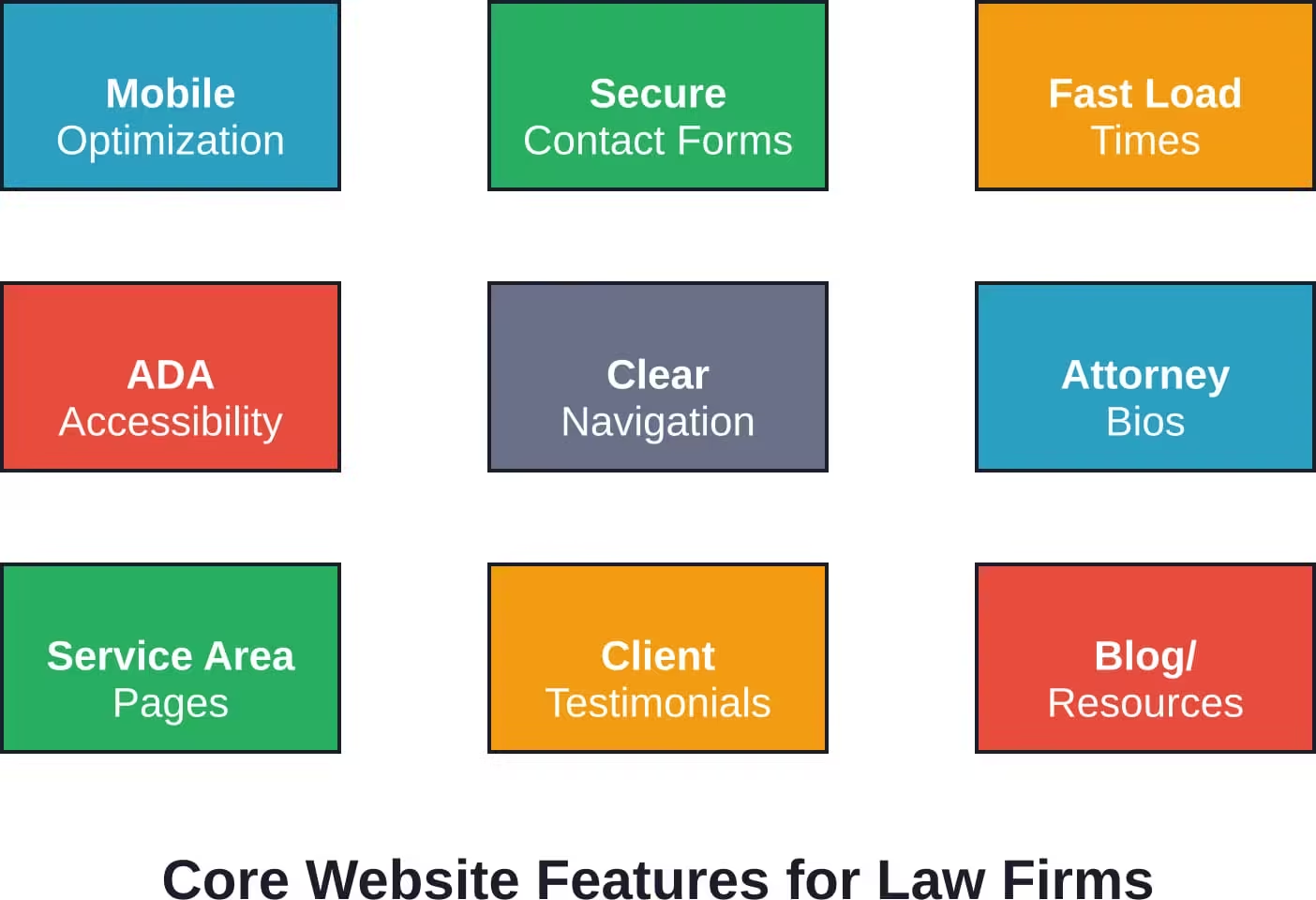
Certain functionality should be standard on every legal website, regardless of size or practice area. These features directly impact user experience and conversion rates.
Mobile-First Design
More than half of legal website traffic comes from mobile devices. Sites that don’t render properly on phones lose potential clients immediately.
Mobile optimization goes beyond responsive design. Touch-friendly buttons, readable fonts without zooming, and simplified navigation for smaller screens all contribute to mobile usability.
Phone numbers should be click-to-call on mobile devices. Forms need larger input fields that accommodate thumbs, not mouse pointers. And page load times matter even more on cellular connections than on desktop broadband.
Strategic Content Architecture
Visitors arrive at law firm websites with specific questions. The site structure should anticipate those questions and provide clear paths to answers.
Practice area pages shouldn’t just list services—they should address client concerns. What does the legal process look like? What outcomes can clients expect? What makes this firm qualified to handle these matters?
Attorney bios build credibility and trust. But generic credentials listings don’t connect with visitors. Better bios show personality, explain why the attorney chose this practice area, and demonstrate genuine expertise through specific case experience.
Conversion-Focused Elements
Every page should guide visitors toward the next step. That might be scheduling a consultation, calling the office, or downloading a resource.
Contact forms should be simple—name, phone, email, and a brief message field. Asking for too much information upfront reduces completion rates. The goal is starting a conversation, not collecting comprehensive intake data.
Multiple contact methods accommodate different preferences. Some people want to call. Others prefer email or chat. Offering options increases conversion opportunities without forcing visitors into uncomfortable channels.
Technical Considerations in Law Firm Website Development
Behind the visible design, technical infrastructure determines site performance, security, and maintainability. These backend choices have long-term implications.
Content Management Systems
WordPress dominates the legal website market for good reason. The platform offers flexibility, extensive plugin support, and a familiar editing interface that non-technical staff can manage.
But WordPress requires regular updates and security monitoring. Outdated plugins create vulnerabilities. Poorly coded themes slow page load times.
Alternative platforms like Webflow or custom-built content management systems offer different trade-offs. These typically involve higher development costs but can provide better performance and security out of the box.
Hosting and Infrastructure
Shared hosting might save money initially, but it often creates performance and security problems as traffic grows. Dedicated or managed hosting provides better speed, uptime, and support.
Server location affects page load times for local visitors. A firm serving clients primarily in Texas benefits from servers in central U.S. data centers rather than international locations.
Backup systems and disaster recovery plans protect against data loss. Automated daily backups with off-site storage provide insurance against server failures, hacking attempts, or accidental deletions.
Integration with Practice Management Software
Connecting websites to practice management platforms streamlines client intake and reduces duplicate data entry. When a potential client submits a contact form, that information can flow directly into the firm’s CRM or case management system.
According to research from Harvard Law School’s Center on the Legal Profession, AI and automation tools are transforming law firm operations. In high-volume litigation matters, automated systems have reduced associate time on complaint responses from 16 hours down to 3-4 minutes—a productivity gain greater than 100 times.
While not every firm handles high-volume litigation, the principle applies broadly. Previously, lawyers spent roughly 80% of their time on information collection and just 20% on analysis. Automation shifts that balance, freeing attorneys to focus on higher-value work.
Website integrations contribute to this efficiency. Online scheduling tools sync with calendars. Client portals provide case status updates without phone calls. Document automation generates engagement letters from web form submissions.
Accessibility and Compliance Requirements
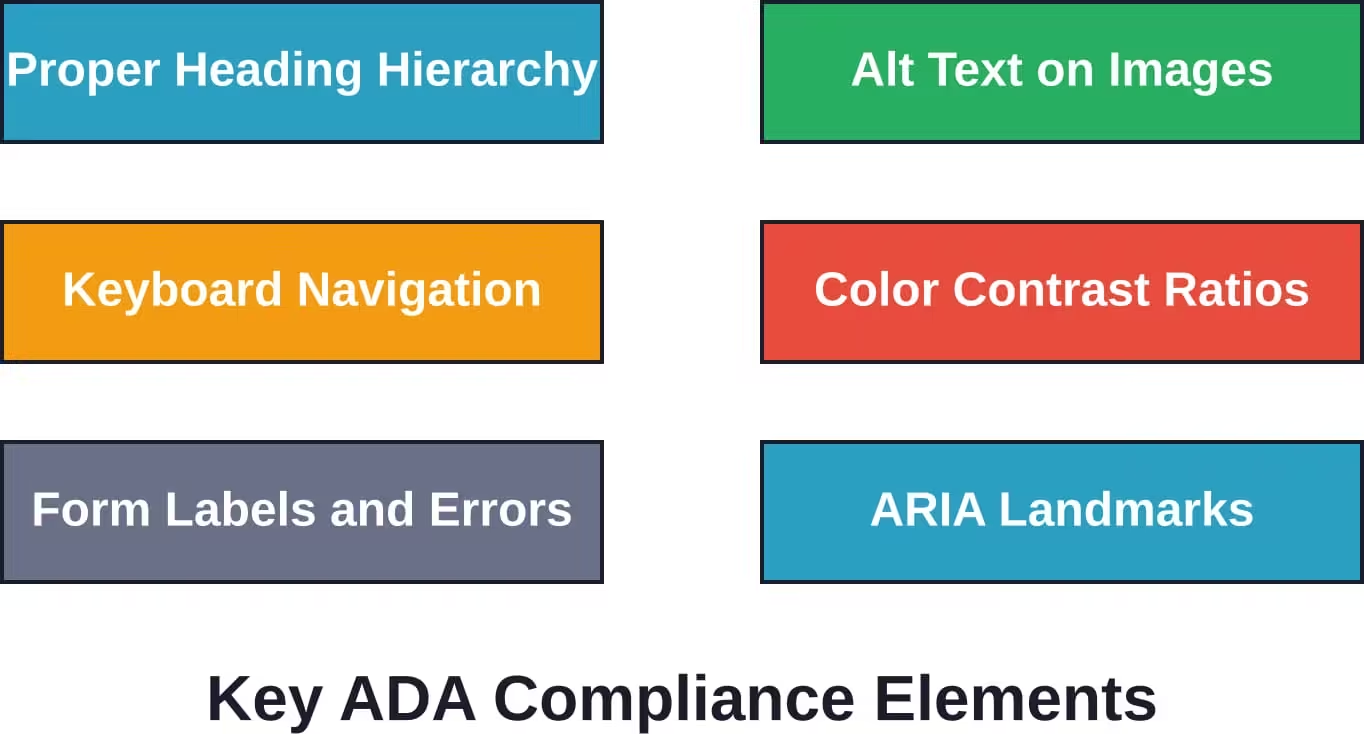
ADA compliance isn’t optional for law firm websites. Multiple lawsuits have established that websites qualify as places of public accommodation under the Americans with Disabilities Act.
Accessibility benefits everyone, not just visitors with disabilities. Clear heading structures help screen readers—and they also help sighted users scan content quickly. Alt text on images assists blind visitors while providing SEO benefits.
Common Accessibility Issues
Many legal websites fail basic accessibility tests. Common problems include:
- Insufficient color contrast between text and backgrounds
- Missing form field labels that confuse screen readers
- Video content without captions or transcripts
- Navigation menus that don’t work with keyboard-only input
- PDF documents that haven’t been tagged for accessibility
Automated scanning tools like WAVE or axe DevTools identify many issues. But manual testing provides the most complete picture. Navigating the site with only a keyboard, testing with actual screen reader software, and reviewing with accessibility experts all contribute to thorough compliance.
Ongoing Compliance Maintenance
Accessibility isn’t a one-time checklist. As content gets added and features change, new accessibility issues can emerge.
Regular audits—quarterly or semi-annually depending on update frequency—catch problems before they become legal liabilities. Training content editors on accessibility basics prevents many issues at creation time.
Search Engine Optimization for Legal Websites
Building a beautiful, functional website accomplishes nothing if potential clients can’t find it. SEO makes law firm websites visible when people search for legal help.
Local SEO matters particularly for law firms since most legal services involve geographic proximity. Clients search for “divorce attorney near me” or “estate planning lawyer in Austin,” not just generic legal terms.
On-Page Optimization Fundamentals
Each practice area page should target specific search terms that potential clients actually use. That requires understanding client language, not just legal terminology.
People search for “car accident lawyer,” not “motor vehicle collision tort counsel.” Content should reflect that reality while still demonstrating legal expertise.
Title tags, meta descriptions, header tags, and URL structures all signal relevance to search engines. But these elements also impact click-through rates from search results pages.
A compelling title tag that includes both the search term and a benefit draws more clicks than a generic “Practice Areas – Smith Law Firm” heading.
Content Strategy and Authority Building
Search engines favor websites that demonstrate expertise and authority. For law firms, that means publishing substantive content that answers legal questions.
Blog posts addressing common client concerns establish topical authority. A family law firm might publish guides on custody modification procedures, property division in divorce, or prenuptial agreement requirements.
This content serves dual purposes—attracting search traffic and educating potential clients. Informed clients make better decisions about legal representation and come to consultations with realistic expectations.
Technical SEO Considerations
Page speed directly impacts search rankings. Google’s Core Web Vitals measure loading performance, interactivity, and visual stability. Sites that score poorly on these metrics rank lower than faster competitors.
Structured data markup helps search engines understand website content. Schema.org markup for law firms can specify practice areas, attorney credentials, office locations, and review ratings.
This markup often triggers enhanced search results—rich snippets that display additional information directly in search listings. Those enhanced results typically generate higher click-through rates than standard listings.
Choosing Between Development Partners and Platforms
The legal website design market includes specialized agencies, general web developers, and DIY platforms. Each option fits different scenarios.
| Option | Ideal Client | Strengths | Watch Out For |
|---|---|---|---|
| Legal Marketing Agencies | Firms wanting turnkey marketing | Legal-specific expertise, compliance knowledge, integrated marketing | Higher costs, potential long-term contracts |
| General Web Developers | Firms with unique technical needs | Custom solutions, technical flexibility, competitive pricing | May lack legal industry knowledge |
| DIY Website Builders | Solo practitioners, budget-conscious firms | Low cost, quick deployment, no technical skills needed | Limited customization, template constraints |
| Practice Management Platforms | Firms already using these systems | Deep integration, unified billing, single support contact | Feature limitations, dependency on platform |
Questions to Ask Development Partners
Before selecting a website developer, firms should understand:
- Who owns the website code and content after launch?
- What happens if the relationship ends—can the site be transferred?
- How are updates and maintenance handled?
- What’s included in ongoing support, and what costs extra?
- Can the firm make simple content edits without developer assistance?
Some agencies build sites on proprietary platforms that make switching providers difficult. Others use standard WordPress installations that any developer can maintain.
Understanding these dynamics upfront prevents unpleasant surprises later.
Website Development Timeline and Budget Planning
Realistic timeline expectations prevent frustration during the development process. Simple template-based sites might launch in two weeks. Complex custom builds can take three months or more.
The timeline depends on several factors: complexity of design, amount of custom functionality, volume of content, number of stakeholders requiring approval, and developer workload.
Typical Project Phases
Most website development projects follow a similar arc:
- Discovery and Planning (1-2 weeks): Defining goals, identifying target audiences, mapping site structure, and establishing technical requirements.
- Design (2-4 weeks): Creating visual mockups, refining based on feedback, and finalizing the look and feel. This phase often involves multiple revision rounds.
- Development (3-6 weeks): Building the actual site, implementing functionality, integrating third-party systems, and setting up the content management system.
- Content Creation (2-4 weeks, often parallel): Writing page copy, creating attorney bios, shooting photography, and preparing other content assets. This can overlap with design and development.
- Testing and Refinement (1-2 weeks): Checking all functionality, testing on multiple devices and browsers, fixing bugs, and optimizing performance.
- Launch and Post-Launch (1 week): Moving the site to production servers, monitoring for issues, and making immediate adjustments based on real-world usage.
These phases often overlap, and iterations within each phase can extend timelines. The key is maintaining momentum while allowing adequate time for quality work.
Budget Considerations
Website development costs vary dramatically. Check current pricing from specific providers for up-to-date information, as costs change frequently based on market conditions and feature offerings.
Several factors influence total investment:
- Design complexity and custom graphics requirements
- Number of practice areas and pages
- Custom functionality beyond standard features
- Content creation services (copywriting, photography, video)
- Third-party integrations and API development
- Ongoing maintenance and support arrangements
The cheapest option rarely delivers the best value. But the most expensive doesn’t guarantee superior results either. The right investment aligns with firm size, growth goals, and competitive positioning.
Measuring Website Performance and ROI
A website’s value comes from the clients it generates, not just how it looks. Tracking performance metrics helps firms understand what’s working and what needs adjustment.
Key Metrics to Monitor
- Traffic Volume and Sources: Total visitors matter less than qualified traffic. A thousand visits from people searching for legal help in the firm’s service area beats ten thousand random visitors. Organic search, paid advertising, referrals, and direct traffic each tell different stories about marketing effectiveness.
- Engagement Metrics: Time on page, pages per session, and bounce rate indicate whether content resonates with visitors. High bounce rates on practice area pages suggest either poor targeting or weak content.
- Conversion Tracking: The percentage of visitors who complete contact forms, call the office, or schedule consultations reveals website effectiveness. Even small improvements in conversion rates can significantly impact client acquisition.
- Page Performance: Which pages attract the most traffic? Which ones convert best? This data guides content expansion and optimization efforts.
A/B Testing and Continuous Improvement
Websites should evolve based on performance data. Testing different headlines, form placements, calls to action, and page layouts identifies what works best for specific audiences.
Small changes can produce surprising results. Moving a contact form higher on the page might increase submissions by 30%. Changing button text from “Submit” to “Schedule Consultation” could boost conversion rates.
The key is testing one variable at a time and measuring results over sufficient traffic volume to draw valid conclusions.
Maintaining and Updating Law Firm Websites
Launching a website isn’t the finish line—it’s the starting point. Ongoing maintenance keeps sites secure, functional, and effective.
Technical Maintenance Requirements
Software updates for content management systems, plugins, and themes protect against security vulnerabilities. Outdated software creates entry points for hackers.
Regular backups provide insurance against disasters. Automated backup systems should run daily, with files stored in multiple locations.
Performance monitoring catches problems before they impact visitors. Uptime monitoring alerts staff to server issues. Speed monitoring identifies performance degradation.
Content Freshness
Static websites signal abandonment. Regular content updates—blog posts, news items, case results, attorney updates—show active engagement.
Search engines favor fresh content. Sites that publish regularly earn more crawl frequency and better rankings than stagnant competitors.
But quality matters more than quantity. One substantive article per month beats four thin posts with little value.
Moving Forward with Law Firm Website Development
The legal industry’s digital transformation continues accelerating. Firms that invest strategically in website development position themselves to capture market share and serve clients more effectively.
Sound familiar? The firms winning online aren’t necessarily the largest or most established—they’re the ones that understand what modern clients expect and deliver it consistently.
Website development for law firms balances competing priorities: professional credibility and approachability, comprehensive information and simplicity, security and usability. Getting that balance right requires thoughtful planning, skilled execution, and ongoing refinement.
Whether choosing a DIY platform or investing in custom development, the fundamentals remain consistent. Mobile optimization, security, accessibility, clear navigation, compelling content, and conversion focus all contribute to websites that generate results.
The best time to start was yesterday. The second best time is now. Begin by auditing the current website honestly, identifying gaps and opportunities, and developing a realistic plan that aligns with firm goals and resources. Professional guidance from experienced developers or agencies can accelerate progress and avoid costly mistakes.
Ready to transform your law firm’s online presence? Start by defining clear objectives, researching development options, and building a team—whether internal staff, external partners, or a combination—capable of executing your vision. The investment in strategic website development pays dividends through increased visibility, better client acquisition, and improved operational efficiency.