Executive Summary: Name images for SEO by using descriptive, keyword-rich filenames separated by hyphens (e.g., blue-running-shoes.jpg). Keep filenames short (3-5 words), lowercase, and relevant to both the image content and page topic. This helps search engines understand and index images properly, improving visibility in Google Image Search.
Image search has become a massive traffic driver. Google Image Search comprises a significant portion of search engine traffic, which means ignoring image optimization leaves serious opportunity on the table.
Most site owners upload images with default camera names like IMG_4829.jpg or Screenshot-2026-02-15.png. That’s a missed opportunity. Search engines can’t see images the way humans do—they rely on textual signals to understand what an image contains.
Proper image naming isn’t some outdated SEO trick from 2010. It’s a fundamental best practice that helps search engines index visual content correctly. And it matters more now that multimodal AI systems are parsing images at scale.
Why Image Names Matter for SEO
Search engines need context to understand images. While Google’s vision AI has improved dramatically, textual signals still carry significant weight in how images get indexed and ranked.
The filename provides one of the first clues about what an image depicts. According to Google’s Image SEO Best Practices documentation, descriptive filenames help search engines understand and properly index visual content.
Here’s what happens when images get named properly:
- Search engines can categorize images more accurately
- Images appear for relevant queries in Google Image Search
- Page relevance signals get stronger when all elements align
- Accessibility improves when filenames complement alt text
But there’s another angle. Captions under images tend to receive significant engagement compared to body copy. When filenames, captions, alt text, and surrounding content all align semantically, search engines receive consistent signals about page relevance.
The Core Principles of SEO-Friendly Image Names
Naming images for search optimization follows a straightforward framework. The goal is making filenames descriptive, readable, and keyword-relevant without overdoing it.
Use Descriptive, Specific Language
The filename should describe what the image actually shows. Generic names like “product.jpg” or “photo1.jpg” provide zero context.
Compare these examples:
| Bad Filename | Good Filename | Why It’s Better |
|---|---|---|
| IMG_8472.jpg | red-leather-sofa.jpg | Describes the actual product |
| photo-final-v2.jpg | kitchen-renovation-ideas.jpg | Contains relevant keywords |
| pic.jpg | golden-retriever-puppy.jpg | Specific and searchable |
| untitled.jpg | chocolate-chip-cookies.jpg | Clear subject identification |
The improved versions tell both users and search engines exactly what the image contains. That specificity matters.
Separate Words with Hyphens
Search engines read hyphens as space separators between words. Underscores and other characters don’t work the same way.
Use: blue-running-shoes.jpg
Avoid: blue_running_shoes.jpg or bluerunningshoes.jpg
Hyphens are recommended for word separation in filenames to help search engines parse terms correctly. This isn’t a small detail—proper word separation helps search algorithms parse individual terms correctly.
Keep It Short and Focused
Aim for 3-5 words maximum. Longer filenames become unwieldy and dilute keyword relevance.
Good: vintage-wooden-desk.jpg
Too long: vintage-antique-wooden-office-desk-with-drawers-brown.jpg
The shorter version captures the essential description without keyword stuffing. Search engines have gotten smarter about detecting over-optimization, and excessively long, keyword-stuffed filenames can actually hurt rather than help.
Use Lowercase Letters
Some servers treat filenames as case-sensitive. To avoid broken image links or duplicate content issues, standardize on lowercase.
Use: modern-office-chair.jpg
Avoid: Modern-Office-Chair.jpg
This prevents technical issues where Image.jpg and image.jpg might be treated as different files on certain server configurations.
Match Images to Page Context
The image filename should relate to both the image content and the page topic. Relevance matters at multiple levels.
For a page about “budget smartphone reviews,” an image showing a phone could be named affordable-android-smartphone.jpg rather than just smartphone.jpg. The additional context reinforces the page theme.
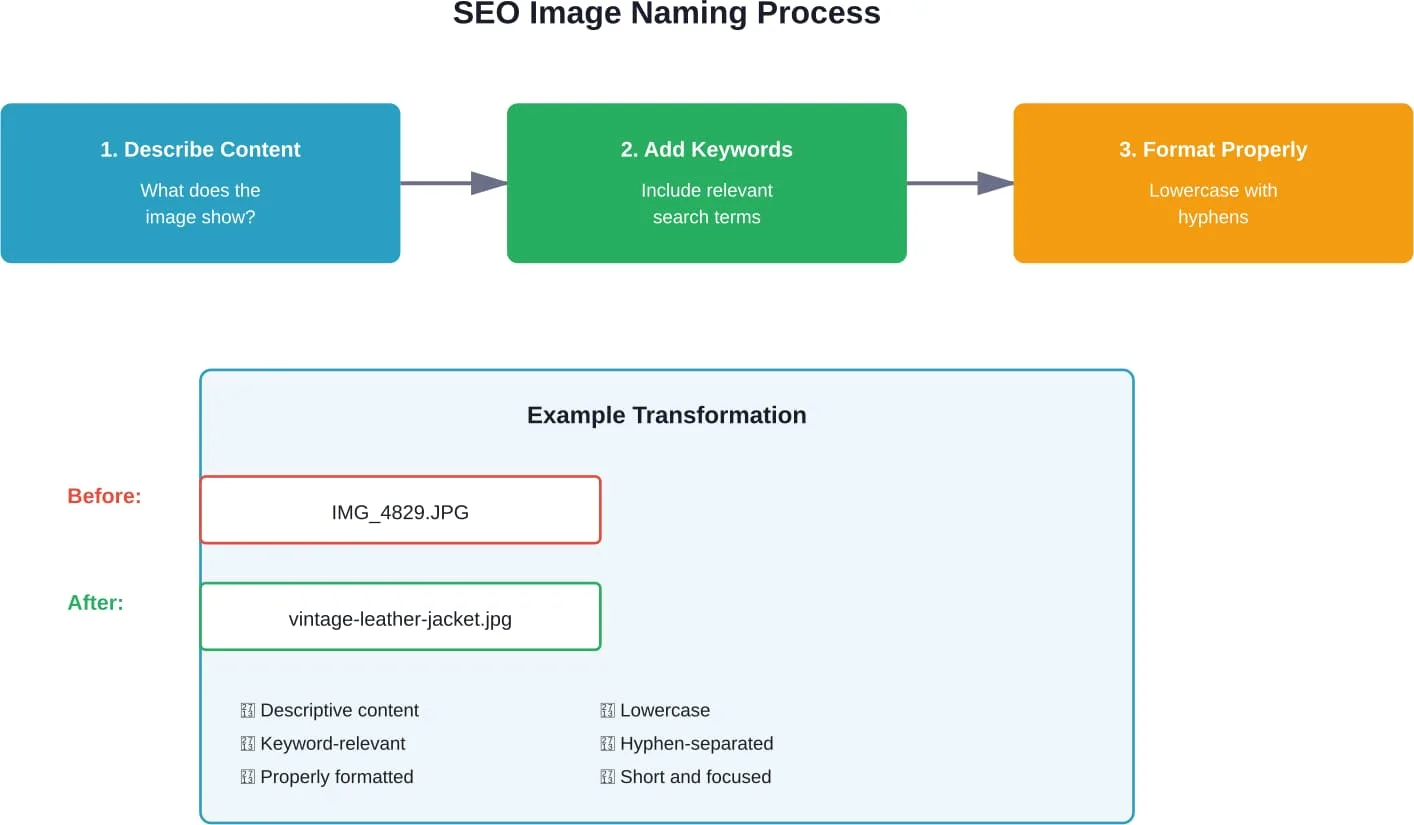
Step-by-Step Guide to Naming Images
Implementing proper image naming doesn’t require technical expertise. Follow this systematic approach before uploading any image.
Step 1: Identify the Primary Subject
Look at the image and ask: what’s the main subject or focal point? That becomes the core of the filename.
A photo showing a woman wearing sunglasses at the beach could focus on different elements depending on context. For a sunglasses retailer: womens-aviator-sunglasses.jpg. For a travel blog: tropical-beach-vacation.jpg.
Step 2: Add One or Two Descriptive Modifiers
Enhance the base description with relevant attributes. Color, style, material, or other distinguishing features work well.
Base: sofa.jpg
Improved: gray-velvet-sofa.jpg
The modifiers provide specificity without bloating the filename.
Step 3: Incorporate a Target Keyword (When Natural)
If the page targets a specific keyword and the image relates to it, work that keyword into the filename naturally. But only if it makes sense.
For a page targeting “home office setup ideas,” an image showing a desk arrangement could be named home-office-desk-setup.jpg. The keyword fits naturally with the image content.
Don’t force keywords that don’t match the image. An image of a lamp shouldn’t be named home-office-setup.jpg just because that’s the page keyword.
Step 4: Format Correctly
Convert to lowercase, replace spaces with hyphens, remove special characters, and add the appropriate file extension.
Original: Kitchen Renovation (Final).JPG
Formatted: kitchen-renovation-final.jpg
Step 5: Name Before Uploading
Rename files on your local device before uploading to the website. While some content management systems allow renaming after upload, handling it beforehand is cleaner and prevents the need for redirects if URLs change.
Community discussions highlight confusion about whether to rename before or after uploading. The consensus: before uploading prevents complications with URLs and cached versions.
Improve Your Image SEO Strategy the Right Way
Image SEO affects page relevance and visibility in search results. If you are unsure how to name images correctly or structure file names for search engines, Lengreo can help. Their team reviews your media structure, naming conventions, and on-page signals to ensure images support your rankings instead of hurting them. The focus is on practical fixes, not theory.
Ready to Optimize Your Images for SEO?
Talk with Lengreo to:
- audit your current image structure
- define clear naming and tagging standards
- align image optimization with your SEO strategy
👉 Request an SEO consultation from Lengreo.
Common Mistakes to Avoid
Even with good intentions, certain naming practices backfire. Watch out for these common errors.
Keyword Stuffing
Cramming excessive keywords into filenames looks spammy and doesn’t help rankings.
Bad: red-shoes-running-shoes-athletic-shoes-sports-shoes-sneakers.jpg
Good: red-running-shoes.jpg
The shorter version covers the essential description without redundancy. Search algorithms have evolved to detect and devalue over-optimization.
Using Stop Words Unnecessarily
Articles, prepositions, and conjunctions (a, the, of, for) add length without value. They can be included if they make the filename more readable, but aren’t required.
Acceptable: view-of-mountains.jpg
Better: mountain-view.jpg
Both work, but the shorter version is tighter.
Leaving Default Camera Names
This is the single most common mistake. Files named DSC_0847.jpg or IMG_20260215.jpg provide zero SEO value.
Make renaming images part of the content preparation workflow. It takes seconds per image and delivers compounding benefits over time.
Using Underscores or Spaces
Underscores don’t function as word separators for search engines. Spaces in filenames get converted to “%20” in URLs, creating messy links.
Use: vintage-camera.jpg
Avoid: vintage_camera.jpg or vintage camera.jpg
Overusing Numbers
Sequential numbering (image1.jpg, image2.jpg) doesn’t describe content. Numbers are acceptable when they’re meaningful (2026-tax-forms.jpg), but avoid them for simple sequencing.
How Image Naming Connects to Other SEO Elements
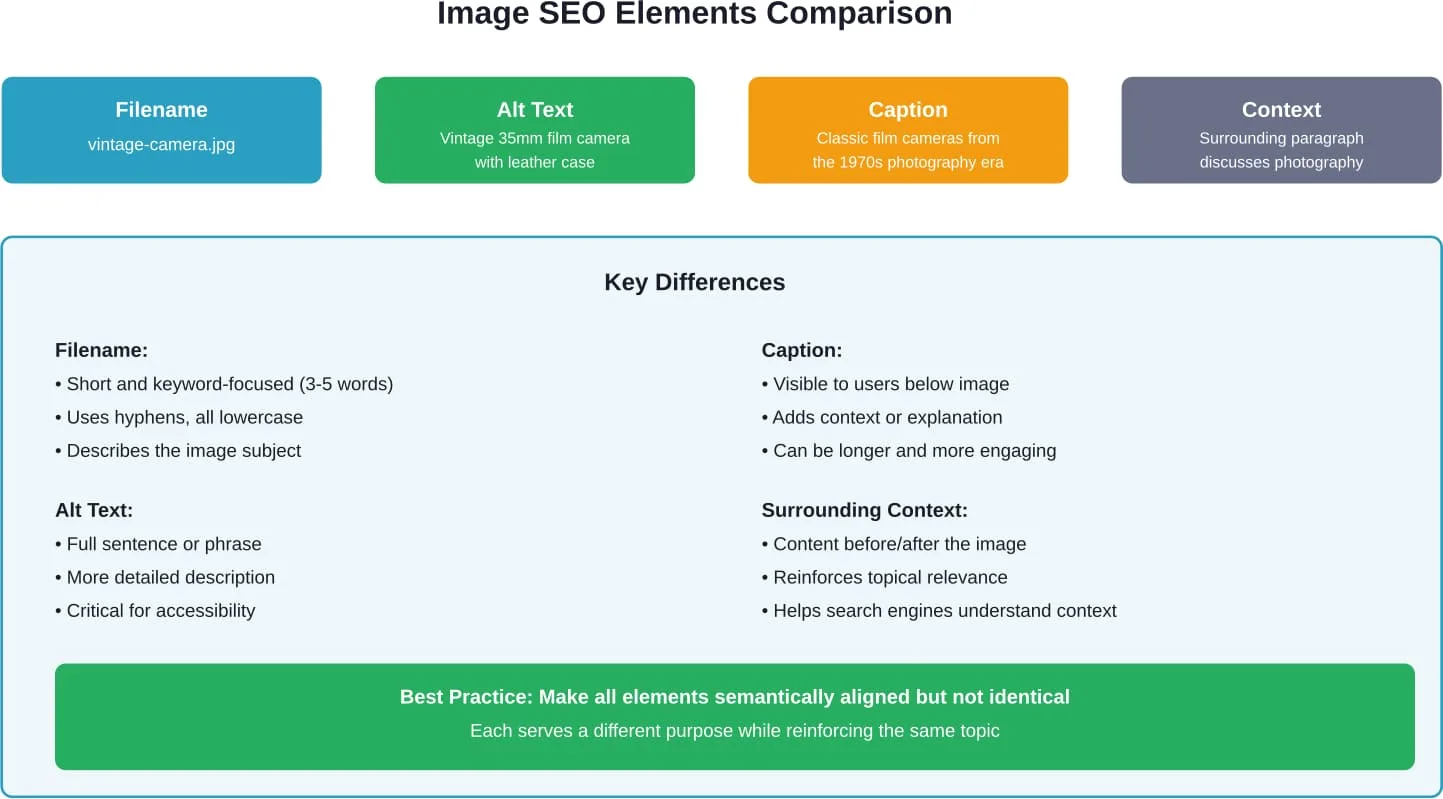
Filenames work as part of a larger image optimization ecosystem. The most effective approach coordinates multiple elements.
| Element | Purpose | Best Practice |
|---|---|---|
| Filename | Helps search engines categorize the image | Descriptive, keyword-relevant, 3-5 words |
| Alt Text | Describes image for accessibility and SEO | Full sentence description, include context |
| Title Attribute | Provides additional context (optional) | Brief label, not required for SEO |
| Caption | Visible text under image for users | Engaging description that adds value |
| Surrounding Text | Contextual signals about image relevance | Place images near related content |
These elements should align semantically without being identical. A product image might have:
- Filename: stainless-steel-water-bottle.jpg
- Alt text: “Stainless steel water bottle with insulated double walls, shown in silver finish”
- Caption: “Our 32oz insulated bottle keeps drinks cold for 24 hours”
Each element serves a distinct purpose while reinforcing the same topic.
Special Cases and Advanced Considerations
Some situations require adapted approaches to image naming.
Multiple Images of the Same Subject
When a page includes several images of the same product or topic, differentiate them by angle, feature, or context.
For a product with multiple photos:
- leather-jacket-front.jpg
- leather-jacket-back.jpg
- leather-jacket-detail.jpg
This approach maintains descriptiveness while distinguishing between images.
Decorative or UI Images
Icons, dividers, and decorative elements don’t need elaborate names since they’re not content-focused. Simple, functional names work fine.
Acceptable: icon-checkmark.svg or arrow-right.png
The key distinction: content images benefit from detailed, keyword-rich names; decorative elements just need functional identifiers.
Non-English Websites
For websites targeting non-English markets, image filenames should use the target language. A Spanish website about furniture should use sofa-de-cuero.jpg rather than leather-sofa.jpg.
This aligns with how users search in their native language and how search engines assess relevance for different markets.
Ecommerce Product Images
Product images benefit from including the product name or SKU when relevant. According to Google’s guidance for ecommerce websites, descriptive product image names help with categorization.
For products with model numbers: nike-air-max-270-white.jpg includes both the brand name and model, which potential customers might search for directly.
Technical Implementation Tips
Making image naming part of the regular workflow prevents it from becoming overwhelming.
Batch Renaming Tools
For large numbers of images, batch renaming utilities save time. Both Windows and macOS include built-in batch rename functions. Third-party tools like Bulk Rename Utility (Windows) or Name Changer (Mac) offer more advanced options.
The process: organize images into folders by category, establish a naming template, then apply it across multiple files simultaneously.
Content Management System Considerations
Most CMS platforms preserve the original filename when images get uploaded. WordPress, for example, uses the filename in the media library and converts it to a URL-friendly format.
Some platforms auto-generate filenames or append numbers to prevent duplicates. Check how the specific CMS handles filenames and adjust the workflow accordingly.
Handling Filename Changes for Existing Images
Renaming images already published on a live website requires caution. Changing a filename changes the URL, which can break existing links and cause 404 errors.
If renaming existing images:
- Upload the new version with the proper name
- Update all references in the content
- Set up 301 redirects from the old URL to the new one
- Update any external links if possible
For most sites, the effort of renaming existing images isn’t worth the risk unless they’re strategic high-value pages. Focus optimization efforts on new images moving forward.
Measuring the Impact of Image Optimization
Tracking how image optimization affects traffic helps justify the effort and refine the approach.
Google Search Console provides data on image search performance. Navigate to Performance, then filter by “Search type: Image” to see queries driving image search traffic, impressions, and click-through rates.
Watch for increases in:
- Image search impressions (how often images appear in results)
- Image search clicks (traffic from Google Images)
- Queries triggering image results
Changes won’t happen overnight. Search engines need time to crawl, index, and assess optimized images. Expect to see meaningful data after 4-8 weeks of consistent optimization.
Conclusion
Proper image naming represents one of the most straightforward SEO optimizations available. It requires no technical skills, no special tools, and delivers measurable results when done consistently.
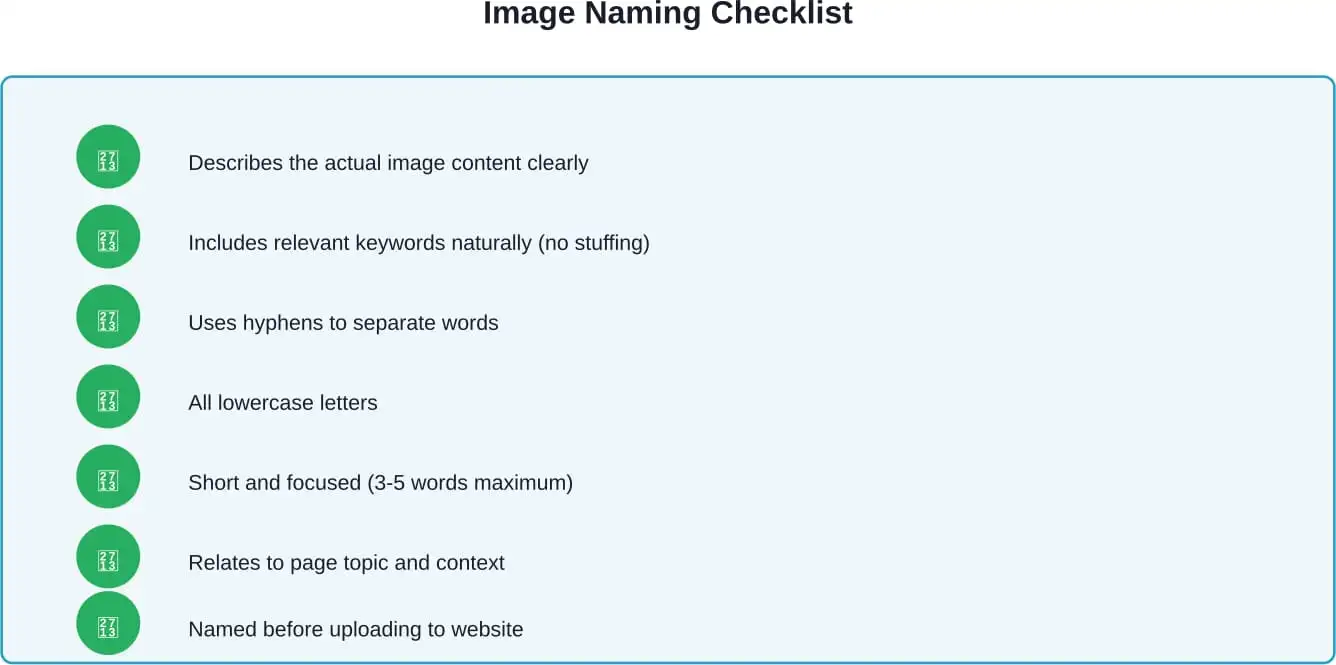
The framework is simple: describe what the image shows, include relevant keywords naturally, format with lowercase and hyphens, keep it short, and align with page context. These principles apply whether optimizing five images or five thousand.
Image search drives substantial traffic. Sites that ignore image optimization miss opportunities for visibility, traffic, and conversions. But those that implement systematic naming practices gain cumulative advantages as their image library grows.
Start with new images moving forward. Build image renaming into the content creation workflow so it becomes automatic rather than an afterthought. Over time, properly named images contribute to stronger topical signals, better user experience, and improved search visibility.
The effort investment is minimal. The long-term payoff compounds with every image published.
Ready to optimize your images? Start by auditing your five most important pages. Check the image filenames—do they describe content and include relevant keywords? If not, that’s the perfect place to begin implementing these practices.