


Most WordPress websites aren’t broken – just under-optimized. The structure might be there, the content might be decent, but search engines still don’t pick it up the way they should. That’s usually because technical details get skipped, or SEO is treated like a one-time checkbox. Fixing that doesn’t always mean hiring a huge team or switching themes – it just takes knowing where to look and what actually affects rankings.
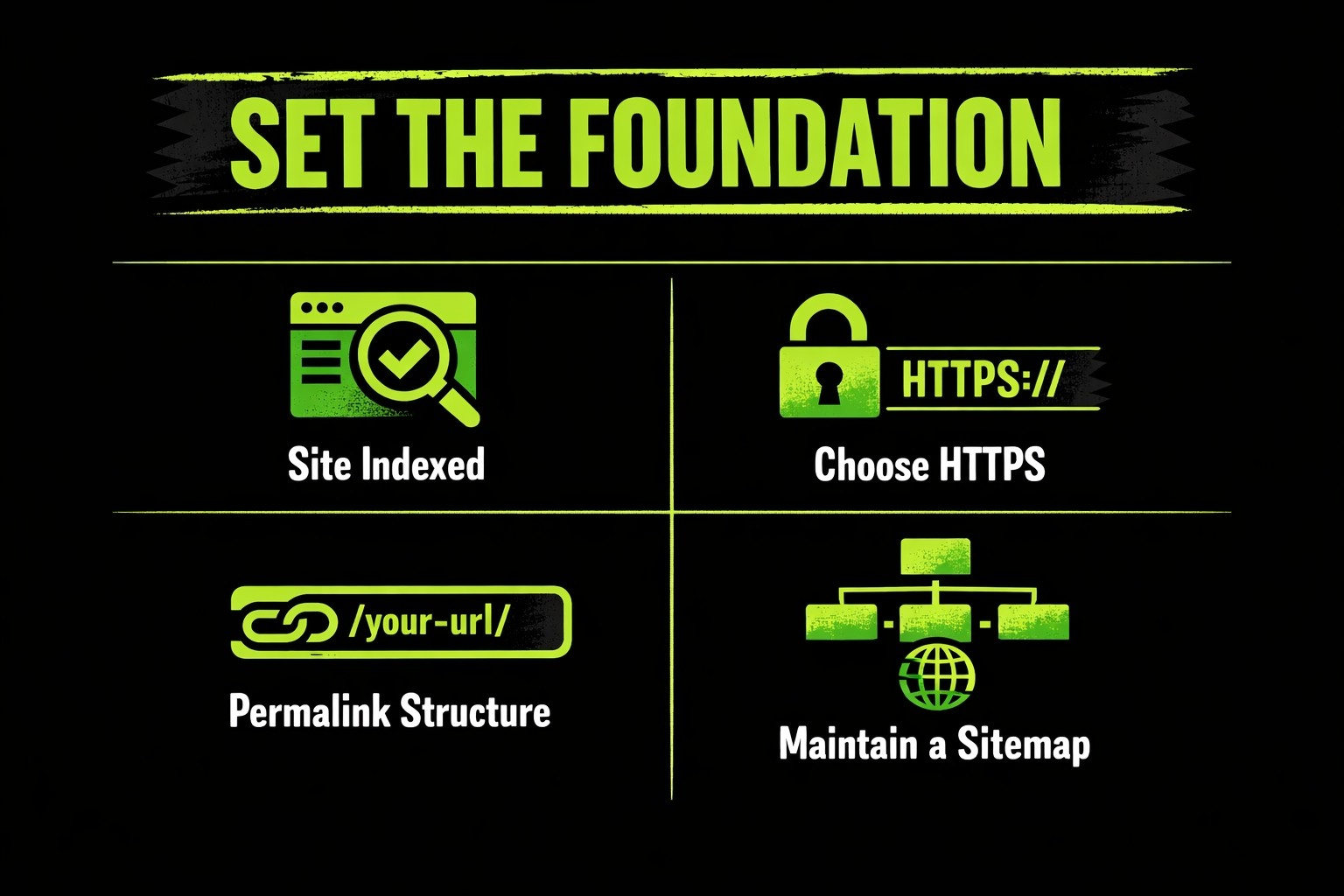
Set the Foundation – SEO Basics Every WordPress Site Needs
Before touching content or plugins, it’s worth checking whether the site’s foundation is stable enough to support growth. WordPress handles a lot by default, but a few overlooked settings can quietly block indexing, confuse search engines, or slow down the whole thing. The fixes are usually simple – assuming someone actually looks.
1. Make Sure the Site Can Be Indexed
If a site isn’t showing up in Google, this is usually the first place to check. WordPress has a visibility setting buried under Settings → Reading that can accidentally block search engines. It’s often ticked during staging and never switched off. That single box can kill traffic completely, and it’s missed more often than people like to admit.
Once indexing is enabled, it helps to push updates through Search Console or enable a protocol like IndexNow (supported by plugins like AIOSEO). This speeds up crawling without waiting on bots to rediscover the site.
2. Choose HTTPS and Stick With One URL Format
Search engines don’t like uncertainty, and neither should a WordPress install. That means:
- The site should use HTTPS (with a valid SSL certificate).
- It should consistently use either www. or not – but not both.
Google treats https://www.example.com and https://example.com as separate entities. Choose one in Settings → General, set it, and make sure all redirects point to the same format. Otherwise, link equity gets split across two versions of the same site.
3. Optimize the Permalink Structure
WordPress defaults to messy URLs unless you change it. Something like
example.com/?p=103 does nothing for SEO or for users.
Switching to Post Name under Settings → Permalinks is usually a good move. It results in cleaner URLs like
example.com/seo-basics-wordpress – easy to scan, easier to index.
For larger or date-sensitive sites (like news publishers), a custom structure might be better. But for most business blogs and service sites, short and human-readable wins.
4. Add and Maintain a Sitemap
A sitemap doesn’t guarantee rankings, but it does help Google and Bing understand what’s there – especially for new pages or ones with limited links. Most SEO plugins generate sitemaps automatically. A proper one includes:
- All core pages that should rank
- Blog content (if relevant)
- Optional: images, videos, or categories, depending on structure
It’s worth double-checking what actually gets included – some auto-generated sitemaps pull in tag pages or archive junk that doesn’t help.
5. Check the Robots.txt File
This one gets overlooked unless something breaks. But a misconfigured robots.txt can quietly block entire sections of the site from indexing. Tools like AIOSEO offer editors to manage this directly inside WordPress.
If the file disallows /wp-content/, /wp-includes/, or key URLs like /services/, that’s a problem. Also: don’t block CSS or JS unless there’s a reason. Search engines use them to render pages like a browser does – blocking them can make a site appear broken.
How Lengreo Builds SEO for WordPress the Right Way
At Lengreo, we treat SEO for WordPress as a system. We start by auditing sites to evaluate technical setup, content structure, and keyword opportunities, pinpointing where improvements will have the most impact. Every adjustment is tied to measurable goals, like increasing leads or improving conversion rates.
We optimize content and site structure together. We build topic clusters, improve internal linking, and refine meta tags to enhance visibility and user experience. When relevant, we integrate local and multilingual SEO to help reach specific markets. We track progress continuously and provide transparent reporting so clients can see results in real time.
We also share insights and updates on Instagram and LinkedIn, highlighting our work and keeping connected with the wider industry to ensure strategies stay grounded in practical trends.
Pick a Powerful SEO Plugin
Most technical SEO in WordPress begins with the plugin that handles the basics. Metadata, sitemaps, redirects, schema markup, and indexing settings all pass through it. Choosing the right plugin isn’t about brand loyalty – it’s about how well it meets real operational needs without adding complexity or bloat. Here’s what to look for when evaluating SEO plugins:
- Metadata control: The plugin should let users edit page titles, meta descriptions, and social previews directly – both globally and per page.
- XML sitemap generation: It should auto-generate clean, readable sitemaps and let users choose what gets included. This helps search engines index content correctly.
- Redirect management: Built-in support for manual and automatic redirects is key, especially when URLs change or content gets restructured.
- Schema markup support: Rich results depend on accurate structured data. A good plugin provides control over schema types – from articles and products to events and local business info.
- Robots.txt and indexing settings: Being able to adjust crawl directives, manage index/noindex behavior, and clean up archive or tag pages matters more than people think.
- Performance and UI: The plugin should run smoothly inside the WordPress dashboard, not slow it down. Ideally, it avoids cluttered interfaces or constant upgrade prompts.
- Compatibility with analytics and search tools: Basic integration with Google Search Console or native performance data makes it easier to connect SEO actions with outcomes.
Many plugins cover these features. The real difference is how intuitive the setup is and how much cleanup is needed after install. Default settings aren’t always ideal, so taking time to configure them properly makes future SEO work, from content to technical fixes, much easier.
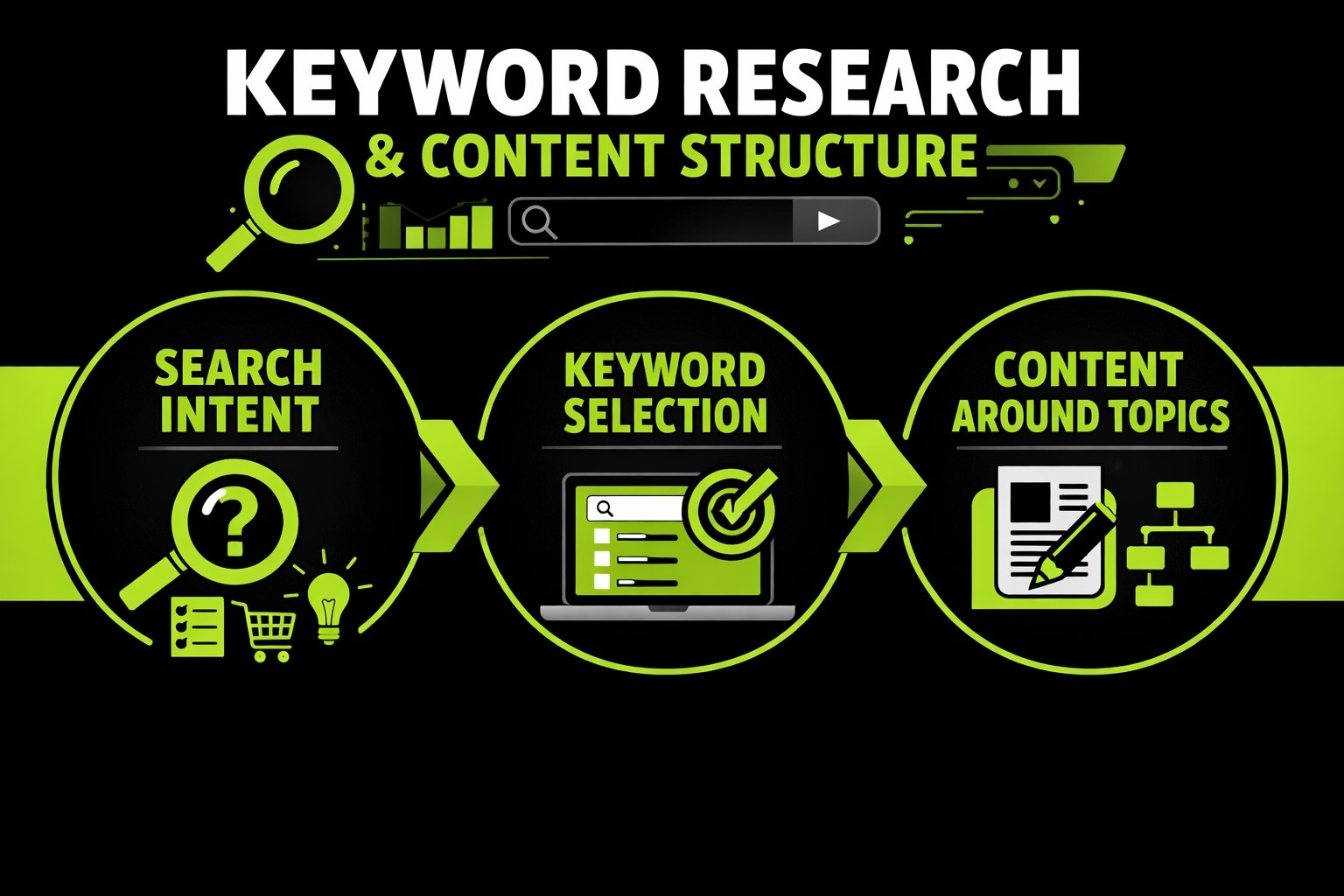
Keyword Research and Content Structure
Getting content to rank isn’t just about writing well – it’s about matching how people actually search. That means keyword research isn’t filler work or something to outsource blindly. It sets the direction for everything that follows, from page layout to messaging tone. And if that direction’s off, even great content underperforms.
Search Intent Comes First
Before any tools or volumes come into play, it helps to get clear on what people are really trying to solve when they type a query. Are they comparing options? Looking for a checklist? Trying to fix a problem fast? That intent should shape the entire format:
- Informational queries might call for long-form content with visuals, subheadings, and examples.
- Transactional keywords usually do better with landing pages, feature breakdowns, and CTAs in the right spots.
- Navigational searches should hit the core structure – homepage, product pages, service hubs – and be cleanly linked.
The mistake a lot of sites make is chasing keyword volume while ignoring the format and expectations tied to those terms. That’s how bounce rates spike even when rankings look decent.
Keyword Selection: Volume, Relevance, Competition
The classic trifecta still applies:
- Volume tells how often something is searched.
- Relevance confirms it aligns with the offer or expertise.
- Competition shows how hard it’ll be to rank – not just in theory, but in the actual SERP layout.
It’s not about grabbing every possible term. It’s about stacking the deck with keywords that fit both user needs and business goals – and knowing where the gaps are. Competitor research can help here, but copying isn’t the goal. It’s more about seeing what Google rewards in the space, then spotting what’s not being addressed yet.
Structuring Content Around Topics, Not Just Terms
Pages shouldn’t be stuffed with variants of the same phrase. That stopped working years ago. Instead, focus on building around topic clusters – one strong, centralized piece (often called a pillar page), backed by related articles that cover specific angles in depth. This approach helps with:
- Internal linking (which improves crawlability and user flow)
- Semantic coverage (which Google uses to evaluate topical authority)
- Avoiding content cannibalization (when two posts compete for the same keyword)
Each cluster should be mapped out intentionally. Titles, H2s, and URL slugs all matter – they send signals about relevance, but they also affect how users scan and navigate. If it feels over-optimized or robotic, it probably is.
Internal Links and Navigation Logic
Navigation is often underestimated, but the way pages connect internally can make a big difference for both users and search engines. Clear, logical internal linking helps visitors move through the site naturally while signaling to search engines which pages are most important. Without it, even high-quality content can stay buried, and users may bounce before finding what they need.
Internal links aren’t just for SEO metrics – they shape the experience. Linking related posts, product pages, or service descriptions in context keeps readers engaged and reduces friction. The anchor text should make sense for humans first; search engines notice relevance, but usability drives behavior. Pages without any internal links, often called orphaned pages, are the ones most likely to be ignored by both users and crawlers.
A thoughtful structure combines hierarchical menus, contextual links within content, and cross-references in clusters. Navigation should feel intuitive rather than forced. When done right, it doesn’t just improve rankings – it makes the website feel cohesive, easier to explore, and more professional. Proper linking turns a collection of pages into a connected system rather than a disjointed set of articles.
Improve Site Speed and Mobile Usability
A website can have great content and perfect SEO setup, but slow load times or poor mobile usability will still drive visitors away. Optimizing both speed and mobile experience is about reducing friction and making every interaction feel seamless. Key steps to consider:
- Optimize images and media: Large images slow pages down. Compress them without losing quality and add appropriate alt text for SEO and accessibility.
- Use caching strategically: Storing static versions of pages helps repeat visitors load content faster and reduces server strain.
- Leverage a content delivery network (CDN): Distributing assets across servers closer to users can noticeably cut load times globally.
- Minify and defer scripts: Cleaning up unnecessary code and loading non-essential JavaScript later reduces blocking and improves rendering speed.
- Select a mobile-optimized theme: Responsiveness isn’t optional. Text, buttons, and images must adjust smoothly to all screen sizes.
- Prioritize touch-friendly navigation: Menus, forms, and buttons should be easy to tap without accidental clicks.
- Test Core Web Vitals regularly: Metrics like LCP, CLS, and INP reveal where real-world bottlenecks exist. Fixing these improves both user experience and SEO performance.
Speed and mobile usability aren’t one-off fixes. Regular audits, combined with deliberate design choices, ensure visitors stay engaged and search engines see the site as reliable and user-friendly. The best approach balances technical tweaks with a clean, intuitive layout.
Fix Redirects and Monitor 404s
Broken links are more than an annoyance – they signal a sloppy structure to both users and search engines. Pages that return 404 errors not only frustrate visitors, they also waste any SEO value built into the links pointing there. Regularly auditing redirects and monitoring for errors ensures traffic flows to the right place and preserves the site’s authority.
Setting up proper redirects is about precision, not automation alone. Temporary changes should use the right redirect type, permanent changes need clean 301s, and any removed content should point to the most relevant alternative. Without this, links, rankings, and even user trust start to slip quietly. Tools exist to highlight broken links, but reviewing them in context is key – not every 404 requires a blanket redirect.
Monitoring isn’t a one-time task. Regular checks catch mistakes from updates, plugin changes, or content restructuring. A clear strategy combines automated alerts with periodic manual reviews. This keeps the website reliable for visitors, prevents lost opportunities, and maintains a tidy, crawlable structure that search engines can trust.
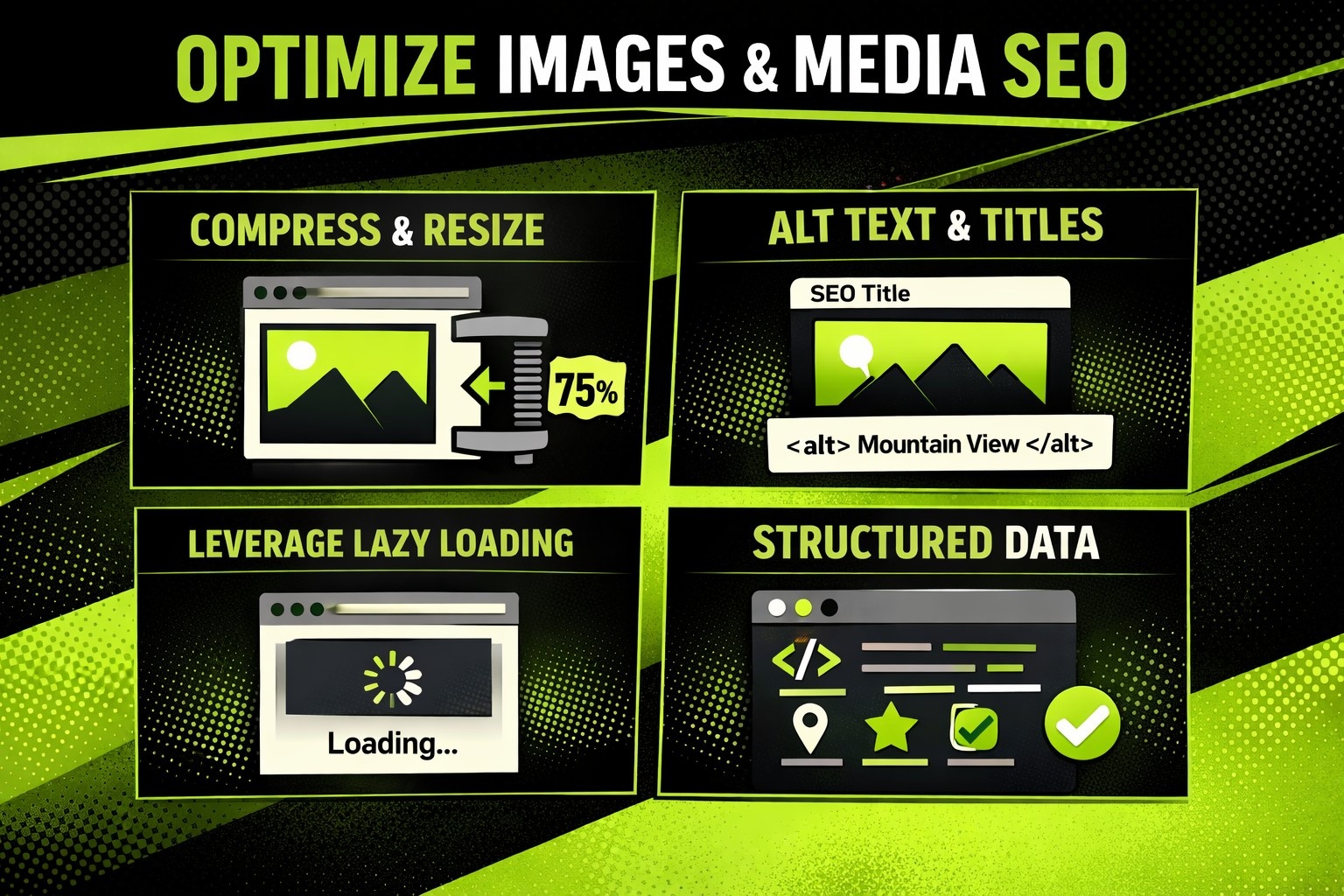
Optimize Images and Media SEO
Images and media are essential for engagement, but they can also slow down a site or confuse search engines if not handled carefully. Optimizing media isn’t just about file size – it’s about clarity, accessibility, and helping search engines understand what’s on the page.
Compress and Resize Before Upload
Large images are one of the biggest hidden speed killers. Resizing images to the display size and compressing them reduces load times without affecting visible quality. This improves both user experience and search rankings. Consistent file naming also helps: descriptive names like seo-optimization-guide.jpg are easier for search engines to interpret than random strings of characters.
Use Alt Text and Titles
Alt text is often treated as optional, but it’s critical for accessibility and SEO. Each image should have concise alt text describing what it shows, ideally including a relevant keyword naturally. Titles can supplement alt text by giving context when images are hovered over, improving clarity for users and search engines alike.
Leverage Lazy Loading and Media Placement
Not all images need to load immediately. Lazy loading defers off-screen images until a user scrolls to them, cutting initial page load time. Media placement also matters: above-the-fold images should load quickly, while decorative or supporting visuals can be delayed or deferred without hurting the page experience.
Structured Data for Media
For videos, galleries, or other rich media, schema markup can help search engines display content as rich results. Adding proper schema signals what type of media is included and can boost visibility in search results beyond simple page indexing.
Optimizing media isn’t a one-time step. Regular audits, proper file naming, structured data, and strategic loading all work together to make pages faster, more accessible, and more likely to be recognized and ranked by search engines.
Expanding Reach with Local and Multilingual SEO
Expanding reach beyond a single region or language requires more than translation. Search engines look for relevance, context, and trust signals. Optimizing for local and multilingual audiences ensures the right people find the site at the right time. Key considerations include:
- Local business signals: Set up and maintain accurate business information in Google Business Profile and other local directories. Consistency in name, address, and phone number (NAP) across listings reinforces trust and helps search engines rank the business locally.
- Localized content: Content should reflect local terminology, cultural references, and relevant case studies. Generic content rarely resonates in multiple markets. Targeted copy increases engagement and improves search visibility in specific regions.
- Multilingual metadata: Page titles, meta descriptions, headings, and alt text should all be localized, not just translated. Search engines need clear signals for each language version to index content correctly.
- Hreflang implementation: Proper hreflang tags tell search engines which language or region a page is intended for. This prevents duplicate content issues and ensures users see the right version.
- Localized link building: Backlinks from reputable local sources carry more weight for regional SEO. Outreach should focus on websites and industry partners relevant to the target location.
- Technical support for multilingual plugins: Ensure translation or localization plugins do not conflict with sitemaps, redirects, or canonical tags. A clean technical setup is just as important as the content itself.
Local and multilingual SEO isn’t just an add-on; it’s a strategic layer. Properly implemented, it ensures that search engines understand where the business operates and who the content is for, improving visibility, engagement, and conversions across regions.
Track Performance and Iterate
SEO is never truly “finished.” Even the cleanest setup and most carefully structured content need ongoing attention. Monitoring how pages perform reveals what’s working and where adjustments are required. Traffic, engagement, and conversions all tell a story that rankings alone can’t.
Regular audits highlight opportunities and catch issues before they snowball. Broken links, outdated content, or underperforming pages can quietly drag down results. Metrics like click-through rate, session duration, and bounce rate show how visitors interact with the site, while keyword positions reveal whether the content is reaching the intended audience. Tracking these together gives a clear picture of both user behavior and SEO effectiveness.
Iteration is the natural next step. Updating top-performing pages, refining internal linking, tweaking metadata, and improving readability keeps the site competitive. Even small adjustments compound over time, improving visibility, engagement, and conversion potential. The key is consistent attention and using real data to guide every change rather than relying on assumptions.
Conclusion
Improving SEO on a WordPress site isn’t a single task or a one-time setup. It’s a combination of solid foundations, structured content, smart linking, performance optimization, and ongoing measurement. Every element – from URL structure to image alt text to internal linking – plays a part in how search engines and users experience the site.
Tracking results and iterating based on real data is what separates sites that plateau from those that steadily grow. When approached methodically, WordPress SEO becomes less of a guessing game and more of a measurable, manageable process that supports business goals and user engagement.