


Adding SEO keywords in HTML sounds technical, but in practice it is more about clarity than code tricks. Search engines look at HTML to understand what a page is about, yet they also judge how naturally everything fits together. When keywords are forced or scattered randomly, the result is usually the opposite of what you want.
This guide walks through the basics of placing SEO keywords in HTML in a way that feels logical, readable, and safe. No shortcuts, no stuffing, just clean structure and small decisions that help search engines and real people understand your content better.
How Lengreo Supports Keyword Strategy in Real SEO Work
At Lengreo we focus on execution as much as planning, which is why HTML keyword placement is never treated as a theoretical exercise. When we work on SEO projects, our role is to make sure that keywords chosen at the strategy stage are actually implemented correctly across the page. That includes titles, meta descriptions, URLs, headings, and content structure. LenGero supports this process by helping us turn keyword research and content decisions into clean, consistent HTML signals that search engines can clearly interpret.
At Lengreo we also help connect the technical side of SEO with the broader marketing picture. Keyword placement in HTML works best when it aligns with real user intent and real business goals, not just ranking targets. By supporting us with SEO execution, content planning, and technical coordination, Lengreo helps ensure that keywords in HTML reinforce the message of the page instead of competing with it. This makes our SEO work more stable, easier to scale, and far less dependent on short-term tactics.
Understanding the Role of HTML in SEO
HTML is the first layer search engines analyze. Before content design, images, or interactivity come into play, crawlers look at how a page is structured and labeled.
Why Keywords in HTML Still Matter
Keywords in HTML help search engines confirm:
- What the page is about
- Which topics are primary and which are supporting
- How content sections relate to each other
They do not replace good writing. They support it by removing ambiguity.

Choosing Keywords That Actually Belong on the Page
Before writing a single line of HTML, the keyword decision has to be right.
One Page, One Core Topic
Every page should be built around a single idea. That idea becomes the foundation for keyword placement everywhere else.
For example, a page about:
- “how to add SEO keywords in HTML”
is very different from: - “SEO basics for beginners”
Trying to mix them weakens both.
Head, Body, and Long-Tail Keywords
Most keywords fall into three natural layers:
- Head terms describe the broad topic
- Body terms narrow the meaning
- Long-tail phrases match specific intent
HTML works best when long-tail and body keywords are used, because they fit naturally into structure and sentences.
Meta Descriptions and Search Result Context
Meta descriptions sit in an unusual but important position. They do not directly influence rankings, yet they often decide whether a user clicks your page or moves on. In search results, they act as a short explanation that frames how your page is perceived before it is ever opened.
This small block of text sets expectations. When it is clear and relevant, users arrive with the right mindset. When it is vague or overloaded with keywords, even a strong page can be skipped.
How Users Interpret Meta Descriptions
Most users do not carefully read meta descriptions. They scan them quickly, looking for signals that match what they searched for.
What People Look For at a Glance
- A clear connection to their search query
- A hint of what problem the page solves
- A reason to believe the content will be useful
If those signals are missing, the result blends into the background.
Why Keywords Still Matter in Meta Descriptions
Keywords in meta descriptions are not ranking tools. Their role is confirmation, not manipulation.
How a Keyword Helps in This Context
- It mirrors the language the user typed
- It reassures the reader the page is relevant
- It increases confidence before clicking
One natural mention is usually enough. Anything more tends to feel forced.
URLs That Support the Keyword, Not Compete With It
URLs are easy to overlook because they sit quietly in the background, but they play a steady role in how both users and search engines understand a page. A well-structured URL reinforces the topic before anyone reads a single line of content. A messy or generic URL, on the other hand, introduces doubt and weakens clarity.
Search engines use URLs as an early signal to confirm relevance. Users use them as a trust check. When the words in the URL line up with the page topic and the search query, everything feels more intentional.
Keyword-Friendly URL Structure
A clean URL:
- Uses real words
- Matches the page topic
- Avoids unnecessary parameters
For example, a URL that mirrors the keyword helps both users and search engines understand the page instantly.
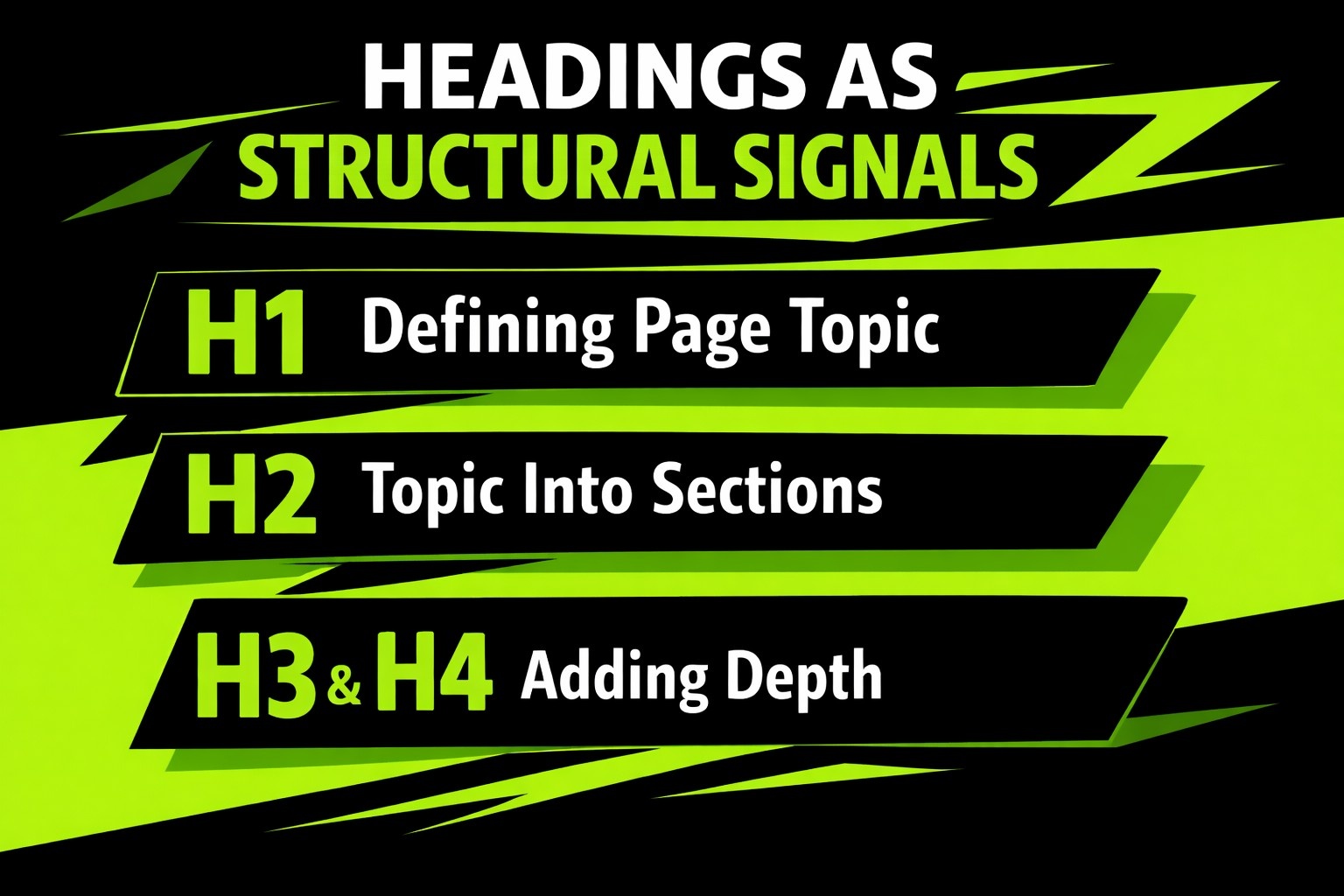
Headings as Structural Signals
Headings organize content and guide both readers and crawlers through the page.
H1: Defining the Page Topic
Each page should have one H1 that clearly states what the page is about. It usually overlaps with the title tag but does not need to match it word for word.
Clarity matters more than duplication.
H2: Breaking the Topic Into Sections
H2 headings divide the main topic into logical parts. This is a good place for keyword variations that still align with the core idea.
If someone scans only the H2s and understands the page, the structure is working.
H3 and H4: Adding Depth Without Repetition
H3 and H4 headings support H2 sections. They should expand on ideas, not repeat them.
Instead of repeating the same keyword, these headings work best when they explain:
- How something works
- Why it matters
- When to apply it
This creates topical depth without sounding forced.
Where SEO Keywords Belong in HTML
Once you know your keywords, the real work begins. Below are the most important HTML locations for keyword placement, ordered by impact.
1. The Title Tag
The title tag is one of the strongest SEO signals on a page.
Why It Matters
- Appears as the clickable headline in search results
- Tells search engines what the page is about
- Sets expectations for users before they click
How to Add Keywords to the Title Tag
Your primary keyword should appear naturally in the title tag, ideally near the beginning.
Example HTML:
<title>Organic Dog Treats for Small Dogs | Brand Name</title>
Best practices:
- Keep it under 60 characters
- Write for humans first
- Avoid stuffing multiple keywords
- Make it readable, not mechanical
2. Meta Description
The meta description does not directly affect rankings, but it strongly affects click-through rate.
Why It Still Matters
- It appears under your title in search results
- It influences whether someone clicks your page or skips it
- It reinforces relevance signals
How to Add Keywords to Meta Descriptions
Include your main keyword once, naturally, without forcing it.
Example HTML:
<meta name=”description” content=”Discover organic dog treats made for small dogs using natural ingredients and simple recipes.”>
Guidelines:
- Stay under 160 characters
- Write a clear summary of the page
- Think like a reader scanning results, not a robot parsing code
3. URL Structure
URLs are often overlooked, but they matter more than most people think.
Why Keywords in URLs Help
- Users scan URLs before clicking
- Search engines use URLs as context clues
- Clean URLs build trust
Keyword-Friendly URL Example
Bad URL:
www.example.com/page?id=123
Better URL:
www.example.com/organic-dog-treats
Tips:
- Use hyphens, not underscores
- Keep URLs short
- Avoid unnecessary words
- Use lowercase letters
4. Headings (H1 to H4)
Headings help structure content for both readers and search engines.
How Search Engines Read Headings
Search engines treat headings as signposts. They show:
- Main topic
- Subtopics
- Content hierarchy
H1 Tag Best Practices
Each page should have one H1 tag, usually matching or supporting the title.
Example:
<h1>Organic Dog Treats for Small Dogs</h1>
Using Keywords in H2 to H4
Subheadings are great places for keyword variations and supporting phrases.
Example structure:
- H2: Benefits of Organic Dog Treats
- H3: Ingredients to Look For
- H3: Treat Sizes for Small Dogs
This keeps content natural while reinforcing relevance.
5. Body Text and Keyword Placement
This is where many people overdo it.
How Keywords Should Appear in Content
Keywords should appear:
- In the first paragraph if possible
- Naturally throughout the content
- In context, not as fillers
Avoid:
- Repeating the same phrase over and over
- Breaking sentence flow to force keywords
- Writing for search engines instead of people
A good rule of thumb is clarity. If the keyword fits naturally, it is probably fine.
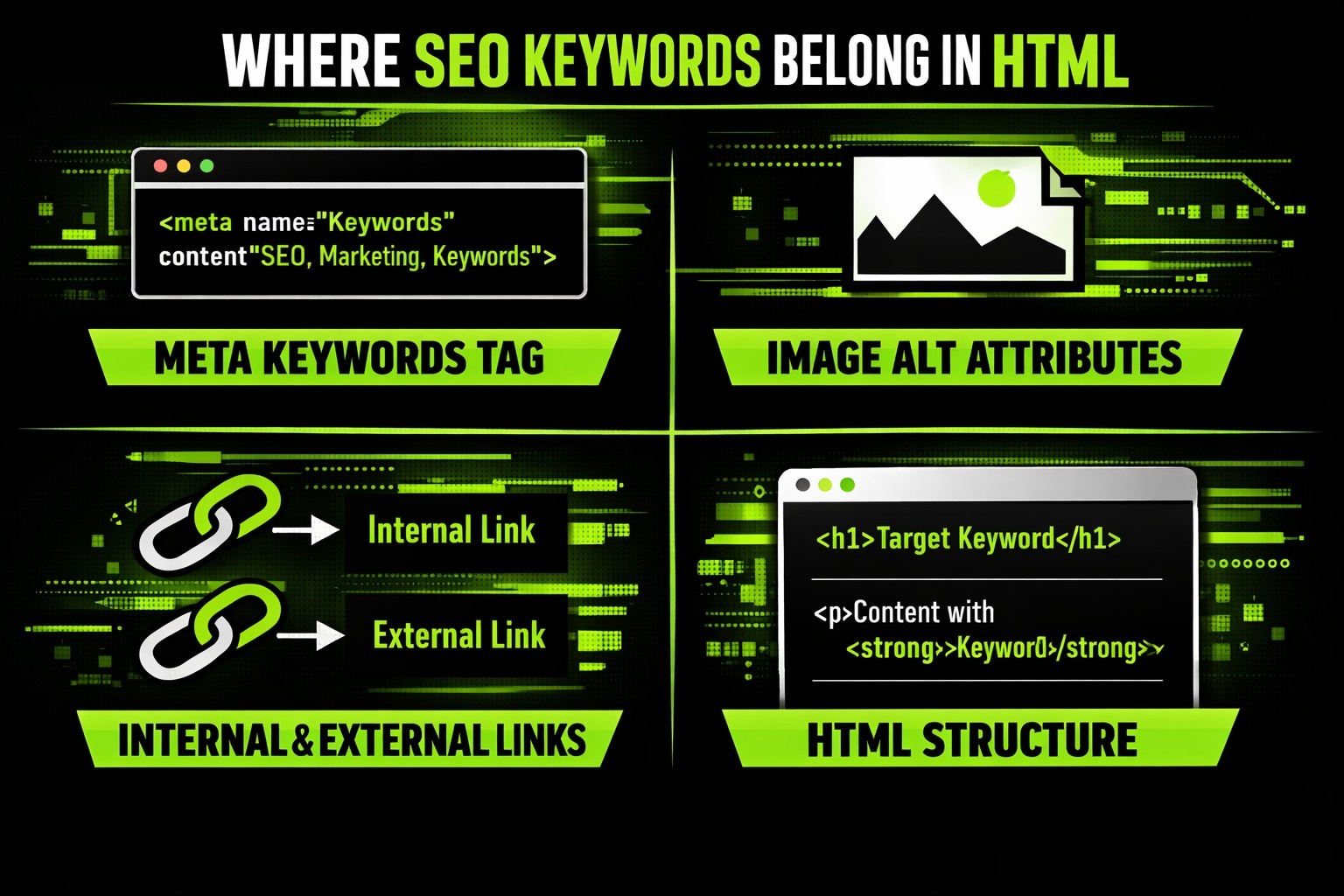
6. Meta Keywords Tag (Use With Caution)
The meta keywords tag is largely ignored by modern search engines, but it still exists.
Example:
<meta name=”keywords” content=”organic dog treats, small dog treats, natural dog snacks”>
Important notes:
- Do not add keywords that do not appear on the page
- Do not stuff dozens of terms
- Do not rely on this tag for rankings
Think of it as optional metadata, not a ranking tool.
7. Image Alt Attributes
Search engines cannot see images. They read text.
Why Alt Text Matters
- Improves accessibility
- Helps image search visibility
- Adds contextual relevance
How to Add Keywords to Alt Text
Use keywords only if they describe the image accurately.
Example:
<img src=”dog-treats.jpg” alt=”organic dog treats for small dogs”>
Avoid:
- Keyword lists in alt text
- Descriptions that do not match the image
- Repeating the same alt text for multiple images
8. Internal and External Links
Links are context builders.
Anchor Text and Keywords
The text you use for links matters.
Example:
<a href=”/organic-dog-food”>organic dog food</a>
Good anchor text:
- Descriptive
- Relevant
- Natural
Avoid:
- Repeating the same keyword anchor everywhere
- Using generic phrases like “click here”
9. HTML Structure and Semantic Tags
Modern HTML includes semantic elements that help search engines understand layout.
Useful tags include:
- <article>
- <section>
- <nav>
- <header>
- <footer>
While these do not hold keywords themselves, they help search engines understand how content is organized.
Images, Alt Text, and Contextual Keywords
Images add meaning, but search engines rely on text to understand them.
When Keywords Make Sense in Alt Text
Alt text should describe the image accurately. If a keyword fits that description, include it. If not, do not force it.
Accuracy and accessibility matter more than optimization here.
Internal Links and Keyword Signals
Internal links quietly shape how search engines understand your site. They show how pages relate to each other, which topics are central, and which pages support broader themes. For users, internal links act as signposts, helping them move through content without friction.
Anchor Text That Guides, Not Manipulates
Anchor text is the clickable part of a link, and it carries more meaning than many people realize. It tells search engines what the linked page is about and tells users what to expect next.
Keywords can work well in anchor text, but only when they describe the destination honestly. The goal is clarity, not control.
What Good Anchor Text Does
- Explains where the link leads
- Matches the topic of the destination page
- Feels natural within the sentence
- Helps users decide whether to click
What to Avoid With Anchor Text
- Repeating the same keyword phrase across many links
- Using generic phrases like click here or read more
- Forcing keywords into sentences where they do not belong
HTML vs CMS Tools for SEO Keyword Placement
| Aspect | Raw HTML | CMS Tools (WordPress, Blogger, Others) |
| Level of control | Full control over every tag and element | Controlled through editors, fields, and plugins |
| How keywords are added | Manually written into HTML code | Added through visual editors or SEO fields |
| Title and meta data | Written directly in the head section | Managed via built-in settings or plugins |
| URL structure | Fully custom, defined by the developer | Often auto-generated but editable |
| Headings and content | Written directly in HTML tags | Added through text editors that generate HTML |
| Automation | None, everything is manual | High, tools assist with placement and checks |
| SEO fundamentals | Same core rules apply | Same core rules apply |
| Strategy behind keywords | Entirely human-driven | Still human-driven, tools only assist |
Tools can make keyword placement easier, but they do not replace judgment. Whether you work in raw HTML or inside a CMS, keywords still belong in titles, URLs, headings, content, and metadata. The system may change, but the thinking stays the same.
Meta Keywords: Optional, Not Essential
The meta keywords tag still exists, but its impact is minimal.
If You Use It at All
Only include keywords that appear in the visible content. Never treat this tag as a place to dump extra phrases.
Think of it as optional housekeeping, not a ranking lever.
How Everything Connects
Good keyword placement in HTML is about alignment:
- The page topic
- The structure
- The language
- The user’s expectations
When those pieces match, search engines rarely struggle to understand relevance.
HTML does not create SEO success on its own. It supports it by making your intent obvious, consistent, and easy to trust.
Conclusion
Adding SEO keywords in HTML is not about chasing formulas or trying to outsmart search engines. It is about clarity. When keywords appear in the right places and make sense in context, they help search engines understand your page without getting in the way of real people reading it. Titles, descriptions, URLs, headings, and content all work together as a system. If one part feels forced or out of sync, the whole page suffers.
The safest approach is also the most practical one. Start with a clear topic, write content that actually answers something, and then use HTML to reinforce what is already there. When keywords support structure instead of controlling it, SEO becomes easier to manage and far more stable over time.